


- Contents
Interaction Media Server Technical Reference
Interaction Media Server Conference Calls
In a CIC environment, Interaction Media Server processes all audio communications for conference calls.
Conference call features
Conference calls that Interaction Media Server hosts include features such as dominant speaker detection with echo cancellation (muting errant noises from other callers), automatic level control (volume), support for Interactive Voice Response (IVR) input, and other optimizations.
Note:
In Interaction Administrator, use the Optimize Audio for Conferences list box on the Telephony Parameters tab of the Server Configuration dialog box to control dominant speaker detection globally with echo cancellation for conference calls.
If you experience audio issues when you enable Optimize Audio for Conferences, you can specify the ConferenceTypeDominantSpeakerDiagnosticRecording property through the Media Servers container in Interaction Administrator and set the value to true. This property creates diagnostic recordings that you can send to a PureConnect Customer Care representative for analysis.
Conference call overview
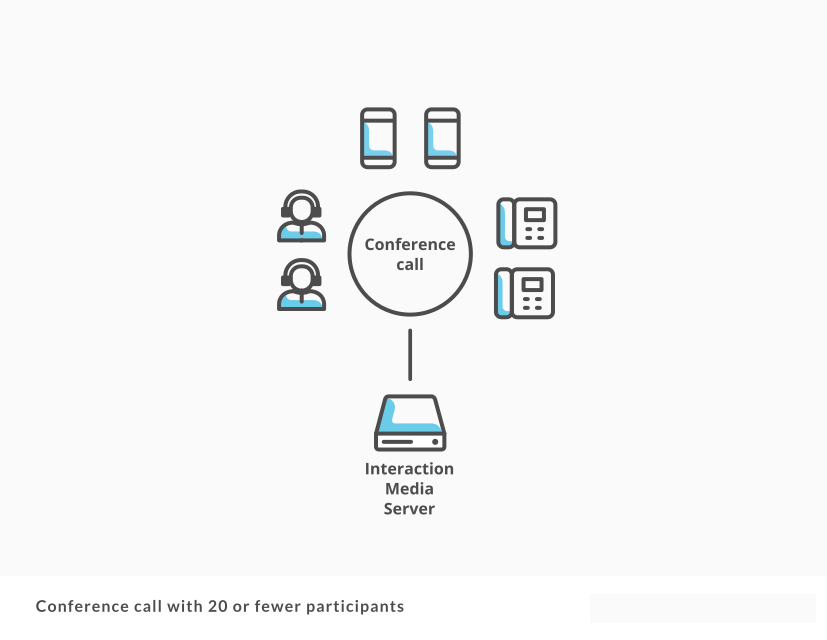
For fewer than 20 participants in a conference call, a single Interaction Media Server can process all audio communications for all parties.
However, for the conference call to support more than 20 participants or participants distributed over a large geographical area, CIC creates more conference calls—each supporting up to 20 participants—on other Interaction Media Servers and connects them to the original conference call through peering connections.

Note:
You cannot merge two or more existing conference calls on the CIC server with this feature. This feature enables expansion of one existing conference call by creating conference calls and connecting them to the original conference call.
Location types for conference calls
For a conference call, a location containing Interaction Media Servers can serve as one of the following types:
-
Regional: Hosts conferences by connecting parties to an audio resource. This type allows only one peering connection to a conference call on an Interaction Media Server. Regional conference locations cannot connect directly to other regional conference locations. Conference calls in regional locations can connect to each other only through one or more hub locations.
-
Hub: Connects multiple conferences to a host conference and allows multiple peering connections. CIC can use multiple hub locations to connect one or more regional conference calls to the host conference call. A hub type location can also create and host conference calls on any available Interaction Media Server assigned to that location.
Note:
By default, all new locations in CIC are configured to accept hub connections for joining regional conference calls. If you are updating CIC from GA through SU3, applying a later release or upgrade configures all existing locations to accept hub conference connections automatically.
The following diagram displays how CIC can connect conference calls hosted on regional Interaction Media Servers, which allow only one peering connection, through hub locations.
