

- Contents
SIP Bridge Technical Reference
Define an Interaction SIP Bridge workstation
The following procedure provides the steps to define an Interaction SIP Bridge workstation on the Customer Interaction Center server through Interaction Administrator.
-
On a computer in the network that contains the Customer Interaction Center server, start Interaction Administrator.
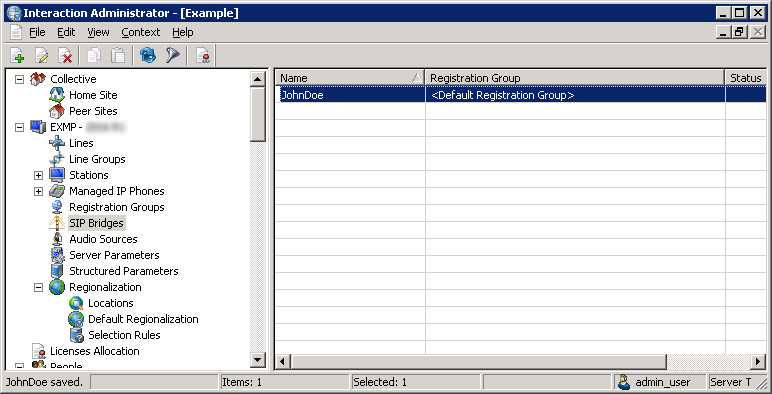
The Interaction Administrator window is displayed.

-
In the left pane, select the SIP Bridges object.
Note:
Interaction Administrator displays the SIP Bridges object only if you purchased Interaction SIP Bridge licenses and applied them to your Customer Interaction Center license.
-
In the right pane, right click an open area and select New from the resulting shortcut menu.
The Entry Name dialog box is displayed.

-
In the Enter Bridge Name box, enter a unique name for an Interaction SIP Bridge workstation.
Tip:
Create a name that is easily recognizable as belonging to a specific user or managed IP telephone.
-
Select the OK button.
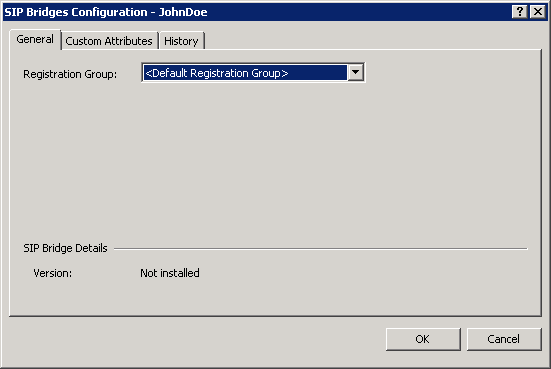
The SIP Bridges Configuration dialog box is displayed.
-
In the Registration Group list box, select the existing registration group that you want this Interaction SIP Bridge workstation to use.
For more information about Registration Groups, see the "Registration Group Configuration" topic in the Interaction Administrator Help.
-
Select the OK button.
The Interaction SIP Bridge workstation is displayed in the right pane.