


- Contents
Interaction Scripter Client User's Guide
Work with Custom Scripts
Custom campaign scripts are web-based applications that provide any needed combination of forms, text, graphics, and navigational logic. Every campaign has its own script. Custom scripts display a narrative for agents to read, and provides pushbuttons that transition to the next call stage.
Web Page Developers use a separately licensed API called Advanced Interaction Scripter to create custom scripts. It provides the script language extensions needed to develop HTML pages that mix agent dialog with forms-based data entry and complex navigational aids. Custom campaign scripts are developed by programmers who are experienced with HTML and ECMA-262 JavaScript. However, no special expertise is needed to run custom scripts.
-
Custom scripts guide you through each stage of a campaign call by telling you what to say at each step, by providing navigation options, and by prompting you to enter data. When you log into a campaign, the default page for its script is displayed. The appearance of the page is determined by the script. The screens displayed in your call center won't visually resemble the sample screens shown below. However, the opening page usually displays a company's logo, the name of the current campaign, and other general information.
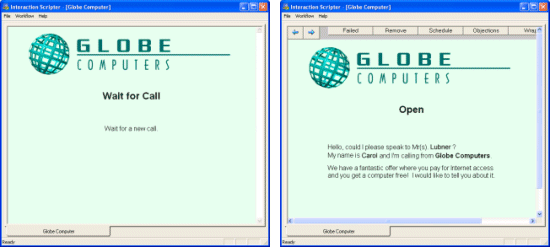
When an outbound call is sent to you, the script displays pages that prompt you through interactions with the targeted party. Push buttons on each screen allow you to control navigation. Information about the targeted party may be read from databases, and displayed on-screen, to help you better interact with the customer. This makes it easy to converse, since the on-screen instructions tell you what to say. -
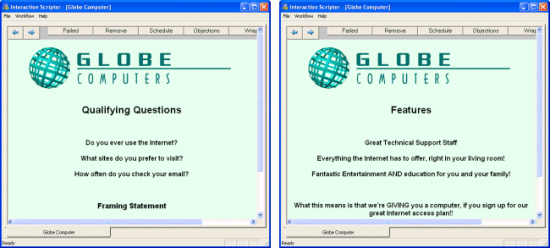
You may be prompted to ask qualifying questions, or to describe the features of a product or service. The script will provide navigational options (such as the arrow buttons in the example below) that take you from one screen to the next.
-
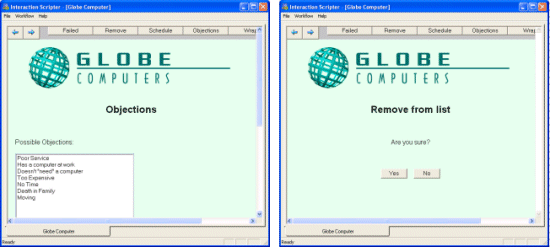
Since not all contacts are receptive or interested, the script will provide various branching paths that record the customer's objections, remove the customer from the ContactList, or schedule a call back. Afterwards, the call may be terminated.
-
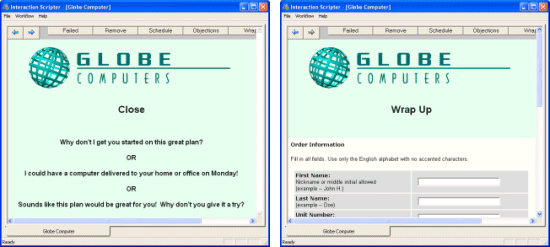
If the campaign call is successful, the script helps you close the deal, usually by prompting to collect information from the contact. Forms are often filled in at this stage. Wrap-up can take place after the connection has ended, or while you are speaking with the contact. It depends upon the script.
-
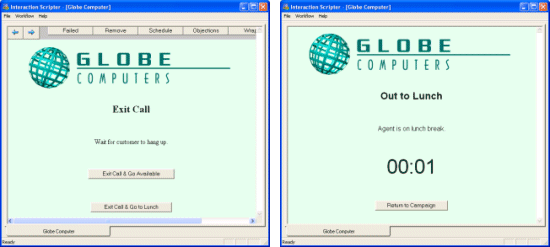
At the end of each call, you may be given the opportunity to change your availability status. For example, a pushbutton may set your status to "At Lunch". This places your workstation in a do-not-disturb state. But most of the time you will simply make yourself available to take another call.
-
Scripts make it easy to return to an available status. To rejoin the campaign from a do-not-disturb status, press a button, or use whatever interface element the script designer placed on the page. Radio buttons, combo boxes, edit fields, and other standard interface elements are fully supported by Interaction Scripter. Since scripts are based upon HTML, virtually any type of information can be presented to help you interact with your contacts.
As you can see, custom scripts structure interactions with customers, and make it easy to transition between stages of a call. The information you need is on the screen when you need it, and there is no need to memorize obscure codes or phrases.