


- Contents
Interaction Desktop Help
Remove a Schedule Preference
Requirements: Only agents with the appropriate licenses can see their work schedules in the CIC client. For more information, see Interaction Optimizer.
A schedule preference indicates the days and times when you prefer or prefer not to work. When you remove a schedule preference, this change is not applied retroactively to previously generated and published schedules.
-
To remove a schedule preference, in the Schedule Preferences dialog box, do one of the following:
-
-
In the List View, select the appropriate preference and click the Remove button or right-click and select Remove preference entry.
-
In the Calendar View, select anywhere in the range of dates for the preference and click the Remove button or right-click and select Remove preference entry.
-
Result: You are prompted to confirm that you want to remove this schedule preference.
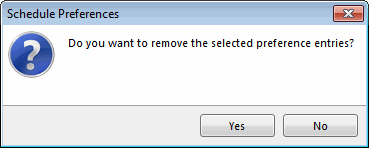
-
Click Yes.
Result: The selected schedule preference is removed from both the List View and Calendar View of the Schedule Preferences dialog box.
Related Topics