


- Contents
Interaction Reporter Help
Account Code Call Detail by User Report
The Account Codes Call Detail by User Report displays all activity for a particular account code by user based on a selected range of users. The report is designed to help a supervisor determine what account code was used on a interaction, and to review the information regarding users’ interactions for a specific date range.
Note
This report will not include interactions that were not assigned an account
code. Currently, there is no way to query a range of account codes for
a record that has a null value for account code. If you want to report
on interactions that have no account code assigned, see the User Call
Detail report.
Parameters
You specify a range of dates, times, users, site IDs, and account codes to include in the report. IC sorts this report by account code, user and then by date in ascending order.
|
Report Log Tables |
Interaction Administrator Unique Report Identifier |
|
CallDetail AccountCodeMirror |
ACCOUNT_CODE_CALL_DETAIL_BY_USER_NAME |
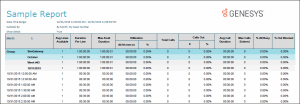
Sample report
Click on the image below to view a sample of this report.
|
Report Element |
Report Field or Value |
Field or Value Description |
|
Account Code |
AccountCode |
The name of the selected account code. This displays the number as well as the account code name. If this account code has been deleted in Interaction Administrator, N / A is displayed in the customer name field. |
|
User |
LocalUserId |
The name of the IC user included in the specified range of users. |
|
Extension |
LocalNumber |
The extension of the IC user. |
|
Date |
ConnectedDate |
The date for each day included in the date range for this the report. |
|
Time |
ConnectedTime |
The time each connected interaction was placed or received by the IC user. |
|
In / Out |
CallDirection |
The direction for each interaction; either Inbound or Outbound. |
|
Remote Number |
RemoteNumber |
The number of the party that called (for Inbound interactions), or the number of the called party (for Outbound interactions). Caller ID is displayed if the direction is inbound and the remote number field is blank. A chat is represented by an IP address. |
|
Remote Name |
RemoteName |
The name of the party that called (for Inbound interactions). If Caller ID or a name lookup is not available, this could be External. The name of the called party, if known (for Outbound interactions). |
|
Call Duration |
CallDurationSeconds |
The total number of hours, minutes, and seconds the user spent on this interaction on this date. This number is displayed in hh:mm:ss format. |
|
Hold Time |
HoldDurationSeconds |
The total amount of time this interaction was on hold. This number is displayed in hh:mm:ss format. |
|
Total Number of Calls |
Count of ConnectedDate |
The summary of the total number of interactions the user placed or received during the specified date range for all account codes. |
|
Total Avg. Duration |
Avg (CallDurationSeconds) |
The average amount f time the user spent on all inbound and outbound interactions during the specified date range and all account codes. This number is displayed in hh:mm:ss format. |
|
Total Number Out Calls |
Count (CallDirection); CallDirection =Outbound |
The count of the interaction direction where the interaction direction is outbound for interactions placed by the current user for the date range specified and for all account codes. |
|
Total Avg. Outbound Duration |
Avg (CallDurationSeconds); CallDirection = Outbound |
The average amount of time the user spent on outbound interactions during the specified date range and for all account codes. This number is displayed in hh:mm:ss format. |
|
Total Number Incoming Calls |
Count (CallDirection); CallDirection = Inbound |
The count of the interaction direction where the interaction direction is inbound for interactions placed by the current user for the date range specified and for all account codes. |
|
Total Avg. Inbound Duration |
Avg (CallDurationSeconds); CallDirection = Inbound |
The average amount of time the current user spent on inbound interactions during the specified date range and for all account codes. This number is displayed in hh:mm:ss format. |
|
Number of Calls |
Count (ConnectedDate); by AccountCode |
The total number of interactions placed or received by the current user for a particular account code and the specified date range. |
|
Avg. Duration |
Avg (CallDurationSeconds); by AccountCode |
The average amount of time the current user spent on all inbound and outbound interaction during the specified date range for a particular account code. This number is displayed in hh:mm:ss format. |
|
Number Out Calls |
Count (CallDirection); CallDirection = Outbound; by AccountCode |
The number of outbound interactions for the current user during the specified date range for a particular account code. |
|
Avg. Outbound Duration |
Avg (CallDurationSeconds); CallDirection = Outbound; by AccountCode |
The average duration of outbound interactions for the user during the specified date range for a particular account code. |
|
Number Incoming Calls |
Count (CallDirection); CallDirection = Inbound; by AccountCode |
The number of inbound interactions for the user during the specified date range for a particular account code. |
|
Avg. Inbound Duration |
Avg (CallDurationSeconds); CallDirection = Inbound; by AccountCode |
The average duration of inbound interactions for the user during the specified date range for a particular account code. |
|
Account Code Name |
AccountName |
The name of the client / customer as entered into Interaction Administrator. If the account code has been deleted in Interaction Administrator, N / A is displayed in this name field. |
Record Selection Criteria:
{CallDetail.ConnectedDate} in {?StartDateTime} to {?EndDateTime} and
{CallDetail.LocalUserId} in {?StartUser} to {?EndUser} and
{CallDetail.SiteId} in {?StartSiteId} to {?EndSiteId} and
{CallDetail.AccountCode} in {?StartAccountCode} to {?EndAccountCode}
Formulas:
All times are expressed as hh:mm:ss. This formula is used throughout the report to convert seconds to hh:mm:ss. This formula is external to the report file.
Averages are calculated (see below) by taking the sum of the CallDurationSeconds field and dividing by the count of the ConnectedDate. We are not calculating the average of an average. We recalculate the formula below to figure the Grand Total Averages.
Averages – Sum(CallDetail.CallDurationSeconds) / Count(CallDetail.ConnectedDate)