


- Contents
Interaction Reporter Help
(Graph) Calls Entered Line Group by Hour Report
This graph shows the number of inbound and outbound calls attempted on each line group for every hour of a specified day.
This graph can be used to evaluate calling volumes throughout the day on each line group. Each line group’s call volume is plotted for each hour to allow system administrators to see line traffic at a glance. Call attempts are evaluated versus actual connected calls to give a true picture of line group activity.
Important note for SIP users
The Line Group reports were not
designed to report on a SIP Line configuration.
As a result, the information calculated for the Line Group reports might
not be accurate for SIP lines.
Parameters
You specify the range of dates and times, site IDs, and line groups as parameters. The line groups are defined in Interaction Administrator on the IC server. You can specify all or part of a day in the time range. Each line in the data represents one interval, or in our case thirty minutes (1800 seconds) by default.
|
Report Log Tables |
Interaction Administrator Unique Report Identifier |
|
ILineGroupStats |
GRAPH_LINE_GROUP_ENTERED_BY_HOUR_NAME |
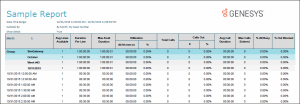
Sample report
Click on the image below to view a sample of this report.
|
Graph Elements |
Report Field or Value |
Field or Value Description |
|
Line Group |
LineGroupID |
The line group names specified in the range. Each line group ID is shown in the key at the right. The line group IDs match the names of the line groups as they are configured in Interaction Administrator. |
|
Hour |
dIntervalStart |
This column displays the starting hour of the interval. |
|
Number Entered (1) |
nEntered |
The number of calls that entered or appeared on the lines in the line group. |
|
Number Outbound (2) |
nEnteredOutbound |
The number of call that entered the line group for outbound use. |
|
Number Outbound Blocked (3) |
nOutboundBlocked |
The number of calls that tried to enter the line group for outbound use, but were blocked because all the lines in the line group were busy. |
|
% All Busy (4) |
(tAllBusy / tActiveLines) * 100 |
The percentage of time that ALL the lines in the line group were busy. |
|
% Busy (5) |
(tSeized / tActiveLines) * 100 |
The percentage of time that the lines in the line group were busy. |
|
Number Inbound (6) |
nEntered – nOutboundEntered (6) |
The number of calls that entered the line group for inbound use. |
|
Hourly intervals (horizontal) |
InitiatedTime |
The activity intervals for recording call data, shown under the bottom of the graph. |
|
Number of calls (vertical) |
Count of LineActivity.InitiatedDate entries |
A sum of the number of inbound and outbound calls attempted on each line. |
Record Selection Criteria:
{ILineGroupStats.GroupId} in {?StartLineGroup} to {?EndLineGroup} and
{ILineGroupStats.dIntervalStart} in {?StartDateTime} to {?EndDateTime} and
{ILineGroupStats.SiteId} in {?StartSiteID} to {?EndSiteId}
Note
The information you display is based on the parameters you enter at runtime.
You should view this chart in full color. The chart will not be useful
in gray scale or black and white.