


- Contents
Interaction Reporter Help
(Graph) Erlang Study Report
This report gives line group usage in terms of Erlang or CCS (see below). These numbers can be used with Erlang calculators to determine if the proper number of lines is available to handle the call utilization.
Simply defined, an Erlang is the total line usage divided by the number of seconds available on one line in one hour (for example, one Erlang is equal to one full hour of conversation).
Parameters
You specify the range of dates and times, site IDs, shift times, and line groups as parameters. The line groups are defined in Interaction Administrator on the IC server. You can specify if you want to see detail or summary and if want to print the graph.
Each line in the data represents one interval, or in our case a half an hour. In order to report by hour, you need to add the 12:00 analog information to the 12:30 analog information 85/7200 = 1.18. The formula IC uses is the (Sum(tAllBusy)/Sum(tActiveLines))*100 to calculate the percentage all busy by hour.
You can specify all or part of a day in the time range.
|
Report Log Tables |
Interaction Administrator Unique Report Identifier |
|
ILineGroupStats |
GRAPH_ERLANG_NAME |
Sample report
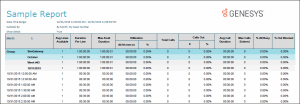
Click on the image below to view a sample of this report.
|
Detail Elements |
Report Field or Value |
Field or Value Description |
|
Site ID |
SiteID |
The name of the Site ID as specified in the range. |
|
Erlang Study Date |
dIntervalStart |
The date for each day included in the date range selected for this report. |
|
Hour |
dIntervalStart |
The hours for the selected date in the date range |
|
Total Calls Added |
nEntered |
The total number of calls that entered the line for the specified date range |
|
Total Usage |
tSeized |
The total amount of time the lines in the line group were seized or being used. |
|
Erlangs |
tSeized / tResourceAvailable |
Erlang is a measure of traffic volume. It is the call usage divided by the sum of resource available time, within the hour. |
|
CCS |
(tSeized / tResourceAvailable) * 36 |
A centa second is equivalent to 36 Erlangs. This is just another way to present line utilization. |
|
Erlangs (vertical) |
tSeized / 3600 |
This axis shows Elangs. |
|
Hour (horizontal) |
dIntervalStart |
This axis displays the starting hour of the interval. |
Record selection criteria:
{ILineGroupStats.dIntervalStart} in {?StartDateTime} to {?EndDateTime} and
{ILineGroupStats.GroupId} in {?StartLineGroup} to {?EndLineGroup} and
{ILineGroupStats.SiteId} in {?StartSiteId} to {?EndSiteId} and
{@StatusTime} in {?ShiftStartTime} to {?ShiftEndTime}
Additional Information:
Erlang – a Unit of Traffic
An Erlang is a unit of telecommunications traffic measurement. Strictly speaking, an Erlang represents the continuous use of one voice path. In practice, it is used to describe the total traffic volume of one hour.
For example, if a group of user made 30 calls in one hour, and each call had an average call duration of 5 minutes, then the number of Erlangs this represents is worked out as follows:
Calculating Erlangs from Minutes:
|
Minutes of traffic in the hour |
number of calls x duration |
|
Minutes of traffic in the hour |
30 x 5 |
|
Minutes of traffic in the hour |
150 |
|
Hours of traffic in the hour |
150 / 60 |
|
Hours of traffic in the hour |
2.5 |
|
Traffic figure = |
2.5 Erlangs |
Erlang traffic measurements are made in order to help telecommunications network designers understand traffic patterns within their voice networks. This is essential if they are to successfully design their network topology and establish the necessary trunk group sizes.
Erlang traffic measurements or estimates can be used to work out how many lines are required between a telephone system and a central office (PSTN exchange lines), or between multiple network locations.
CCS = The sum of the number of busy circuits, provided the circuits were observed every hundred seconds. There are 36 observations in an hour. One Erlang equals 36 CCS.
This information is obtained from Westbay Engineers Limited. For more information on Erlangs, visit their Web site at www.erlang.com.
Note
The information you display is based on the parameters you enter at runtime.
View this chart in full color, as the chart will not be useful in gray
scale or black and white.