


- Contents
Interaction Reporter Help
(Graph) Profile of Average Speed of Answer Report Help
Report View Toolbar
When viewing a Crystal Report in the Workspace, several options are available from the Report View Toolbar. To learn more about these options, on the graphic below pause the mouse pointer over a button to display its function, and click to display more information.

Exporting a Crystal Report
You can Export a report to a Formatted or Unformatted file type. To
export a report, on the main toolbar, click the Export button  .
On the drop-down menu, point to Formatted
or Unformatted. Available Formatted
file types are: Excel, HTML, PDF, Text, or Crystal RPT. The available
Unformatted file type is CSV.
.
On the drop-down menu, point to Formatted
or Unformatted. Available Formatted
file types are: Excel, HTML, PDF, Text, or Crystal RPT. The available
Unformatted file type is CSV.
This graph plots the average speed to answer time of calls during each specified interval of a specified date range. The speed to answer time is the time a call is alerting on a queue until an agent picks-up the call. The graph sorts the average speed to answer time by queue name.
Parameters
You specify the range of date times, activity times, site IDs, and workgroup queues as parameters. You can specify all or part of a day in the time range. You can specify if you want to see detail or summary and if want to print the graph.
Each line in the data represents one interval, or in this case thirty minutes (1800 seconds) by default.
Note
If you run this report for a 24 hour period with intervals less than the
default of 30 minutes, it could result in too much information on the
horizontal axis, thus making it difficult for you to read the report.
|
Report Log Tables |
Interaction Administrator Unique Report Identifier |
|
WrkgrpQueueStats |
GRAPH_ PROFILE_AVERAGE_WAIT_NAME |
Sample report
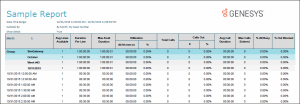
Click on the image below to view a sample of this report.
|
Graph Element |
Report Field or Value |
Field or Value Description |
|
Queue |
cName |
The name of a queue in the specified range. |
|
Intervals (horizontal axis) |
dIntervalStart
|
The activity intervals for recording call data, shown under the bottom of the graph. The default is 30 minute intervals, but the time interval is controlled by the QueuePeriodStatisticsInterval server parameter in Interaction Administrator. |
|
Average Speed of Answer |
tAnsweredACD / nAnsweredACD |
The average amount of time an interaction spent alerting before it was answered by the agent. The total amount of time the interactions were alerting the agents divided by the total number of ACD interactions answered for the specified range. |
Record selection criteria:
{WrkgrpQueueStats.dIntervalStart} in {?StartDateTime} to {?EndDateTime}) and
{@DateTimeToTime} in {?StartActivityTime} to {?EndActivityTime} and
{WrkgrpQueueStats.cType}="W" and
{WrkgrpQueueStats.cReportGroup} = "*" and
{WrkgrpQueueStats.SiteId} in {?StartSiteId} to {?EndSiteID} and
{WrkGrpQueueStats.cReportGroup} <> "-" and
( IsNull({WrkGrpQueueStats.cHKey3}) or {WrkGrpQueueStats.cHKey3} = "*" or {WrkGrpQueueStats.cHKey3} = "" ) and
( IsNull({WrkGrpQueueStats.cHKey4}) or {WrkGrpQueueStats.cHKey4} = "*" or {WrkGrpQueueStats.cHKey4} = "" ) and
{WrkgrpQueueStats.cName} in {?StartQueueName} to {?EndQueueName}