


- Contents
Data Backup Technical Reference
Back up the "Interactive Intelligence" registry key
Back up the "Interactive Intelligence" registry key, which contains all Interaction Administrator information.
To back up the registry key:
-
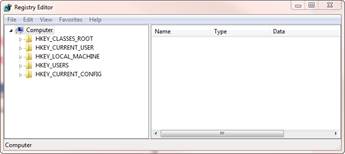
Run REGEDIT.EXE.
-
Navigate to
\HKEY_LOCAL_MACHINE\SOFTWARE\Interactive
	 Intelligence
. -
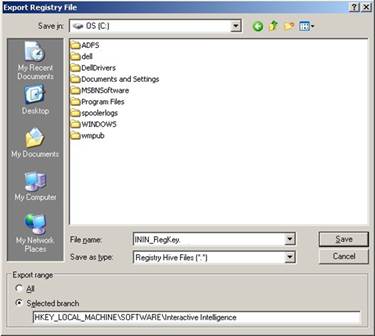
Right-click on Interactive Intelligence and click Export.
The Export Registry File dialog box is displayed.
-
Type ININ_RegKey in the File Name box.
-
Click Registry Hive Files (*.*) in the Save as type list and click Save.
Note: Re-publish all default and custom handlers after you restore the registry if you are restoring to a clean CIC install.