


- Contents
Latitude Help
Delete an ABA Code
Use the Latitude Maintenance window to delete an American Bankers Association (ABA) code. Only Administrators can delete ABA codes.
To delete an ABA code
-
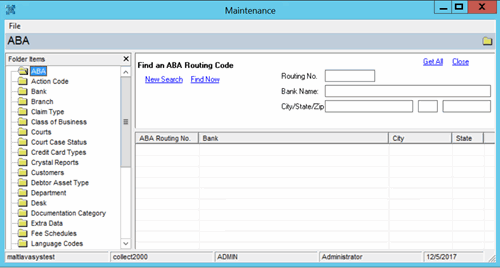
In the Main Menu window, from the Maintenance menu, click System Codes and Settings. The Latitude Maintenance window appears.
-
In the Navigation pane, click the ABA folder.
-
In the Information pane, in the search results, right-click the ABA code and then click Delete. A confirmation dialog box appears.
-
Click Yes.