


- Contents
Latitude Help
Generate an Attorney Placement Letter
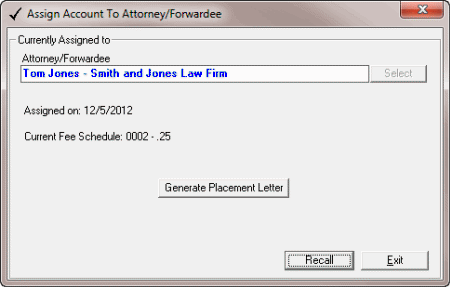
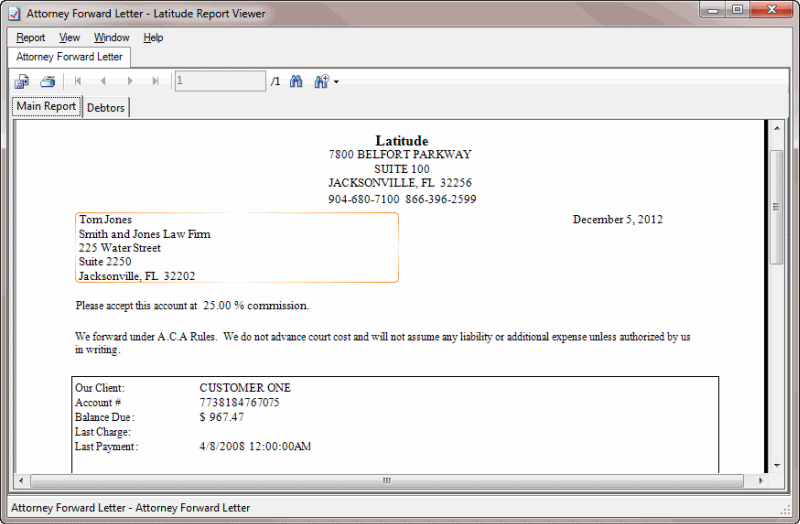
Use the Assign Account to Attorney/Forwarder dialog box to generate a placement letter to send to the attorney or forwarder. This letter is a standard letter included with Latitude and you cannot modify it. To create a custom attorney letter, use the Letters menu in the Work Form.
To generate an attorney placement letter
-
With an account displayed in the Work Form, do one of the following:
-
From the Special menu, click Assign to an Forwarder/Attorney.
-
From the Info menu, click Legal Case Info. In the Legal View dialog box, click the Attorney tab. Next to the Our Attorney box, click the ellipses (...).
The Assign Account to Attorney/Forwarder dialog box appears.
-
Click Generate Placement Letter. The Latitude Report Viewer window appears, with the letter displayed.
-
Click the Print icon. The Print dialog box appears.
-
Click Print.
-
Click the X to close the Latitude Report Viewer window.
-
In the Assign Account to Attorney/Forwarder dialog box, click Exit. The system saves the attorney or forwarder information as L3 extra data and adds a note to the account.