


- Contents
Latitude Help
Maintain a Linked Account
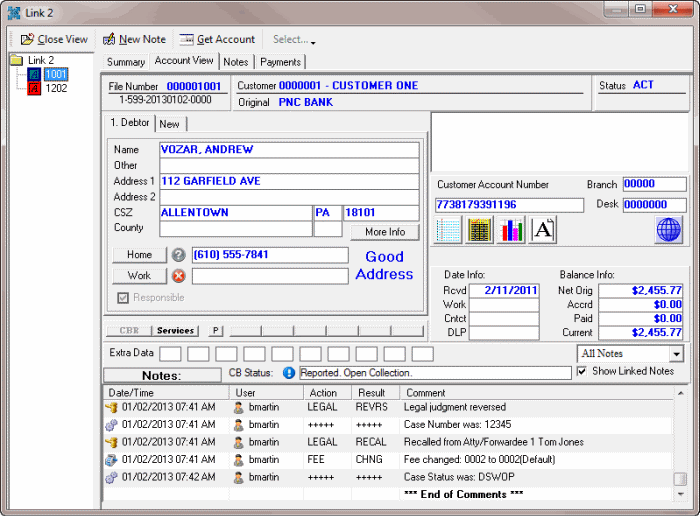
Use the Account View tab in the Link window to maintain a linked account in a "virtual" Work Form.
To maintain a linked account
-
With an account displayed in the Work Form, in the Date Info and Balance Info section, click Links. The Link window appears.
-
In the Navigation pane, click the account number and then click the Account View tab.
-
Modify the information as you would in the "standard" Work Form.
Note: If you change demographic information, a dialog box appears to allow you to select the linked accounts to which to apply the demographic changes.
-
To apply demographic changes to one or more linked accounts, do one of the following:
-
To apply the changes to all the linked accounts, click Select All and then click OK.
-
To select one or more accounts to apply the changes to, select the check box for each account to apply the changes to and then click OK.