


- Contents
Latitude in the Cloud User's Guide
Log on to a Latitude Application
You can log on to a Latitude application that is available to you through the Latitude in the Cloud service.
To log on to a Latitude application
-
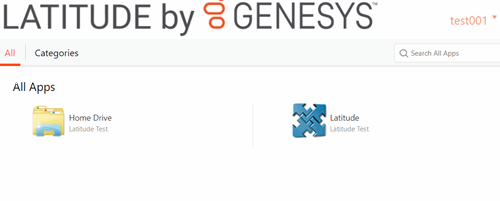
Log on to the Latitude in the Cloud service using the method available to you. For more information, see Latitude in the Cloud Access. The LATITUDE by Genesys page appears.
-
To view the applications available to you, do one of the following:
-
To view applications by category, click the Categories tab.
-
To view all applications, click the All tab.
-
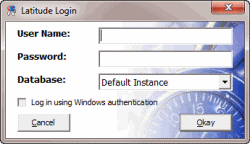
To open a Latitude application, click the corresponding icon or application name. The Latitude Login dialog box opens.
-
Provide your Latitude logon credentials and then click Okay. The main window for the application you selected appears.
Note: For more information about logging on to and using a Latitude application, see the associated Latitude documentation.