


- Contents
Tokenizer Configurator Help
Test the Tokenizer Service
Test the Tokenizer service to verify that it is working properly.
To test the Tokenizer service
-
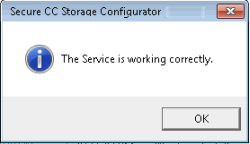
In the top section of the Secure CC Storage Configurator window, click Other Functions and then click Test Service. If the service isn't running, Tokenizer starts it. Tokenizer connects to the service and then verifies the database identity and functionality. A notification dialog box appears. If this window doesn't appear, contact Latitude by Genesys Support.
-
Click OK.