


- Contents
Generate a Batch Duplicate Details Report
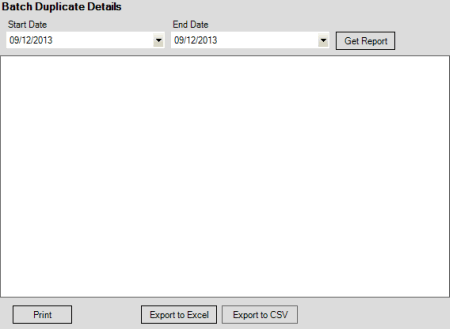
Use the Batch Duplicate Details pane to generate a Batch Duplicate Details report. The report displays duplicate imported payment transactions for open payment batches only. Review this report when deleting duplicate transactions before processing payments.
To generate a Batch Duplicate Details report
-
In the menu bar, click Reports, click Processing, click Payments, and then click Batch Duplicate Details. The Batch Duplicate Details pane appears.
-
In the Start Date list box, click the start date for which to display data.
-
In the End Date list box, click the end date for which to display data.
-
Click Get Report.
-
To modify the report view, see Report Options.
-
To print the report, click Print.
-
To export the report to a Microsoft Excel file, do the following:
-
Click Export to Excel. The Save As dialog box appears.
-
In the File name box, type a name for the file and then click Save.
-
To export the report to a Comma Separate Value (CSV) file, do the following:
-
Click Export to CSV. The Save As dialog box appears.
-
In the File name box, type a name for the file and then click Save.