


- Contents
Invoices Help
Modify a Customer Group
Use the Edit Customer Group dialog box to modify a customer group.
To modify a customer group
-
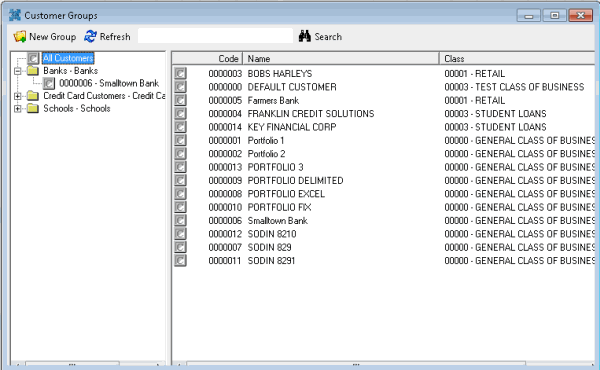
In the Invoices window, from the Tools menu, click Custom Group Editor. The Customer Groups window appears.
-
In the Navigation pane, right-click the customer group to modify and then click Edit. The Edit Custom Group dialog box appears.
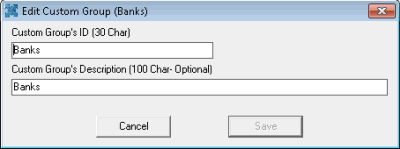
Custom Group's ID (30 Char): Unique code that identifies the customer group. The ID can be up to 30 characters in length.
Custom Group's Description (100 Char - Optional): Description of the customer group, up to 100 characters in length.
-
Modify the information as necessary and then click Save.