


- Contents
Latitude Help
Reset a User Password
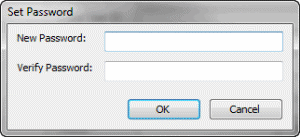
Use the Set Password dialog box to reset a user's password.
To reset a user password
-
In the Main Menu window, from the Maintenance menu, click Users and Roles. The Users and Roles window appears.
-
In the Navigation pane, double-click the user.
-
In the Information pane, next to the Password box, click Reset Password. The Set Password dialog box appears.
-
In the New Password box, type the user's new password.
-
In the Verify Password box, retype the new password and then click OK.
Note: Latitude uses the 512-bit Secure Hash Algorithm (SHA-512) with a randomly generated 512-bit salt that is unique per-user, per-password. Latitude stores the combined hash and salt in the user’s account as a 128-character hexadecimal string. When you reset the password, the password is hashed using a new, random salt.