


- Contents
Change the Desk
Use the Latitude Search - Search for Desk dialog box to change the desk for which to display payments or post-dated payments.
To change the desk
-
With an account displayed in the Work Form, from the Payments menu, click Show My Payments. The Show My Payments window appears.
-
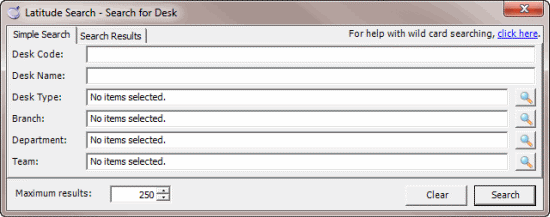
Click the Search icon next to the Desk box. The Latitude Search - Search for Desk dialog box appears.
-
Specify the search criteria and then click Search. The results display on the Search Results tab.
-
Click the desk and then click Select. The system changes the desk in the Show My Payments or My Post Dates window, depending on which one you had open.