

- Contents
View NSF Payments
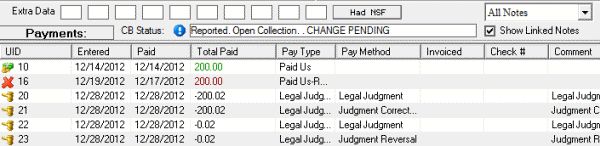
Use the Payments panel to view payments that had insufficient funds (NSF). If an account has a PUR, PCR, or PAR associated to it, a "Had NSF" message appears next to the Extra Data section of the Work Form. For more information about PUR, PCR, and PAR, see Payment Type Codes.
To view NSF payments
-
With an account displayed in the Work Form, in the Extra Data section, click Had NSF. The Payments panel appears. In the following example, UID 16 shows an NSF payment.