


- Contents
Latitude Console Help
Create a Link Between Accounts
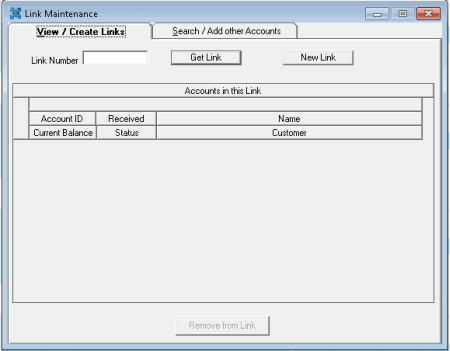
Use the View / Create Links tab in the Link Maintenance window to create a link between accounts.
To create a link between accounts
-
In the Main Menu window, from the Apps menu, click Link/Unlink. The Link Maintenance window appears.
-
On the View / Create Links tab, click New Link. Latitude Console populates the Link Number box with the next sequential unique link number.
-
Click the Search / Add other Accounts tab.
-
If you haven't already searched for accounts to link, do the steps to Search for an Account to Link or Unlink.
-
In the Search Results pane, click the account to link and then click Add to Link. The link number appears in the Link column.
-
Continue linking accounts that are currently displayed in the Search Results pane, specify new search criteria to locate other accounts to link, or close the Link Maintenance window.
Related Topics