


- Contents
Latitude Console Help
Delete an account from a link
Use the View / Create Links tab in the Link Maintenance window to delete an account from a link.
To delete an account from a link
-
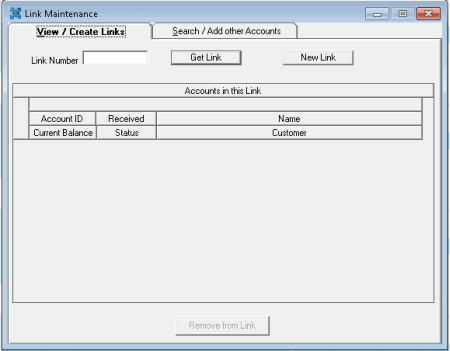
In the Main Menu window, from the Apps menu, click Link/Unlink. The Link Maintenance window appears.
-
On the View / Create Links tab, in the Link Number box, type the link number to remove accounts from and then click Get Link. The accounts associated to the link appear in the Accounts in this Link pane.
-
Click the account to delete and then click Remove from Link.
Related Topics