


- Contents
Portfolio Manager Help
Add a Ledger Type
Use the New Ledger Type dialog box to add a custom ledger type.
To add a ledger type
-
In the menu bar, click Tools > Options.
-
Click the Ledger Types tab.
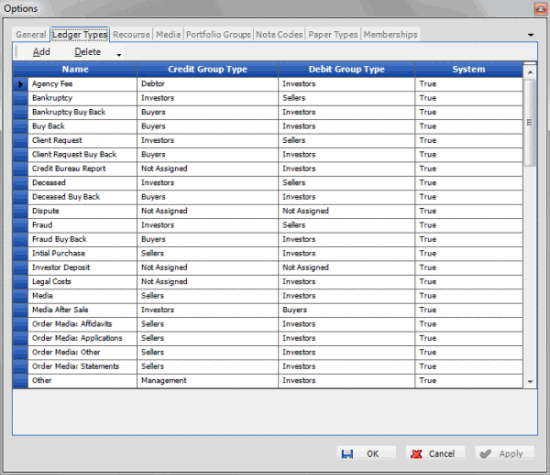
Name: Name of the ledger type.
Credit Group Type: Group to receive a credit for this transaction type. For example, media requests for portfolios held do not incur a credit for any party; however, a buyback ledger type offers credit to the investor.
Debit Group Type: Group to receive a debit for this transaction type. For example, media requests for portfolios held incur a debit for the investor.
System: Indicates "True" for system-defined ledger types and "False" for custom ledger types.
-
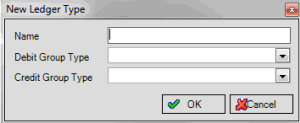
In the toolbar, click Add.
-
Complete the information and then click OK.