


- Contents
Web Access Help
Upload a File
You can transfer a file to the web server. The system supports the following information:
From the client:
-
New business
-
Payments
-
Account updates
-
Account recalls
From the collection agency:
-
Payments
-
Account updates
-
Account closes
To upload a file
-
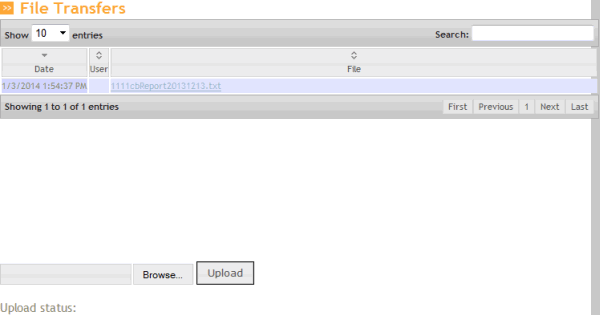
In the menu bar, click File Transfers. The File Transfers page appears.
-
In the lower section of the page, click Browse…
-
Click the file and then click Open.
-
Click Upload. A confirmation message appears.