


- Contents
View a Script History
Use the Script page to view the existing scripts history.
To create a script
-
On the Welcome page, click Script Builder. The Script Query page appears.
-
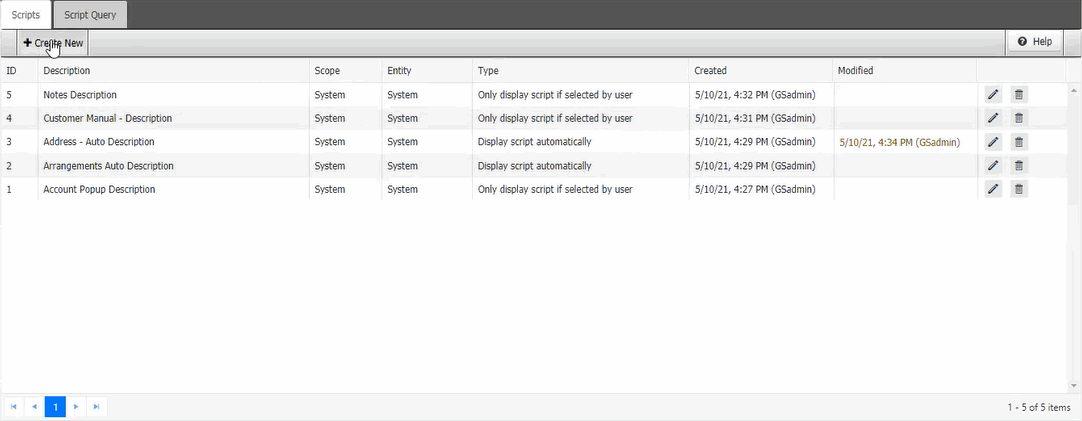
Click the Scripts tab.
-
Click the date and time in the modified column to view the scripts history. The Script History page appears.
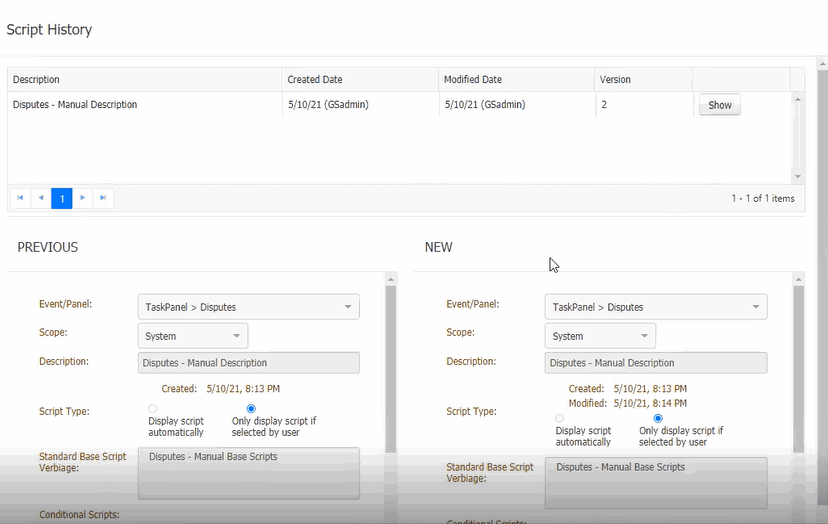
Description: Script description
Created Date: Script created on date
Modified Date: Script modified date
Version: latest version
Show button: To show the details of the script.
Previous: Previous script before modification
New: After modified script