


- Contents
 |
Delete an Asset Type
Use the Asset Types panel to delete an asset type.
To delete an asset type
-
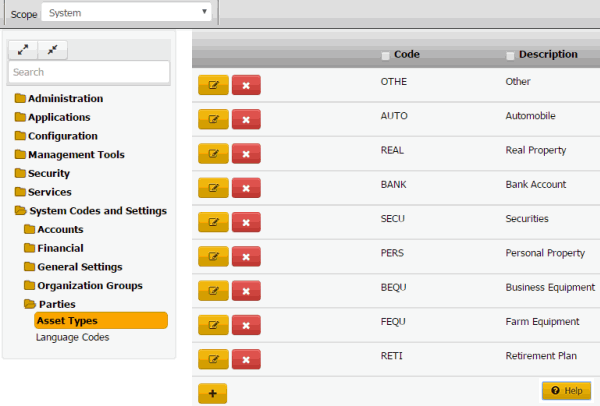
In the Navigation pane, click System Codes and Settings > Parties > Asset Types.
-
Click the Delete icon and then click Yes.

| |
Use the Asset Types panel to delete an asset type.
To delete an asset type
In the Navigation pane, click System Codes and Settings > Parties > Asset Types.
Click the Delete icon and then click Yes.