


- Contents
 |
View Automotive Appraisals
Use the Appraisals tab on the Auction tab in the Automotive panel to view automotive appraisals for the account displayed in the Work Form.
To view automotive appraisals
-
With an account displayed in the Work Form, in the Reference Panel navigation bar, click Available Panels and then click Automotive.
-
In the Automotive panel, click the Auction tab.
-
On the Auction tab, click the Appraisals tab.
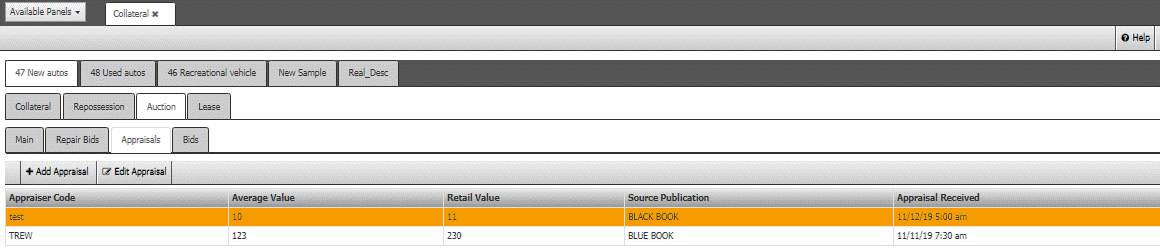
Appraiser Code: Code that identifies the appraiser.
Average Value: Average value of the vehicle.
Retail Value: Retail value of the vehicle.
Source Publication: Source from which your organization obtained the appraisal (for example, Kelley Blue Book).
Appraisal Received: Date your organization received the appraisal.