


- Contents
Maintain Garnishment Information
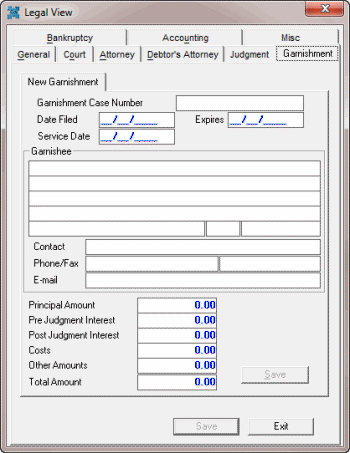
Use the Garnishment tab in the Legal View dialog box to maintain garnishment information. The system adds a tab to the Garnishment tab for each separate garnishment you add. Some information on this tab is available for use in merge letters.
To maintain garnishment information
-
With an account displayed in the Work Form, from the Info menu, click Legal Case Info. The Legal View dialog box appears.
-
Click the Garnishment tab.
-
Complete the information and then click Save. The system saves the garnishment as Garnishment 1, for example.