


- Contents
AIM Receiver Help
Configure SMS Efforts
Use the SMS Efforts tab on the Work Effort tab in the Client Configuration window to configure work efforts related to Inbound and Outbound SMSes.
To configure SMS work efforts
- In the AIM Receiver Manager window, in the Name column of the data grid, click the Client icon. The Client Configuration window appears, with the General tab selected.
- Click the Work Effort tab and then click the SMS Efforts tab.
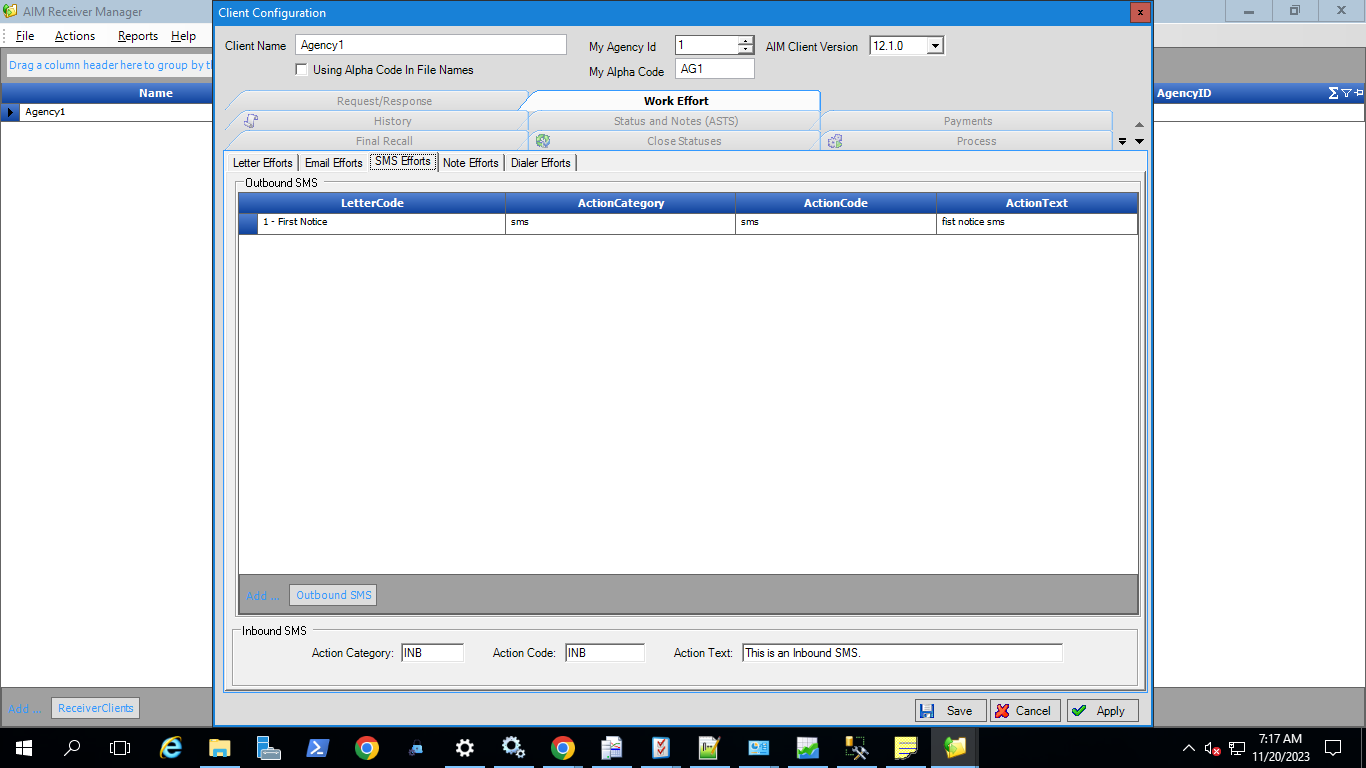
- Letter Code: Code that identifies a letter in Letter Console.
- Action Category: Category that your organization assigned to group the letter action.
- Action Code: Code that your organization assigned to identify the letter action.
- Action Text: Comment or description that your organization associated to the letter action.
- To add a Outbound SMS effort, click Outbound SMS Effort. AIM Receiver Manager adds a blank row to the data grid.
- Complete the information and then click Apply.
- To add a Inbound SMS Effort, Use the form below Outbound SMS Effort grid. Enter Action Category, Action Code and Action Text. Click Apply.
- In Inbound SMS Effort, It is mandatory to add Action Category and Action Code.
- To delete the record in Inbound SMS Effort, clear all the three inputs and click on Apply.