


- Contents
License Management
Use License Management, to add new licenses and to view this information in a readable format that shows the tool/suite, number of users, creation date, and expiry date. It shows detailed information for Active and Expired Licenses.
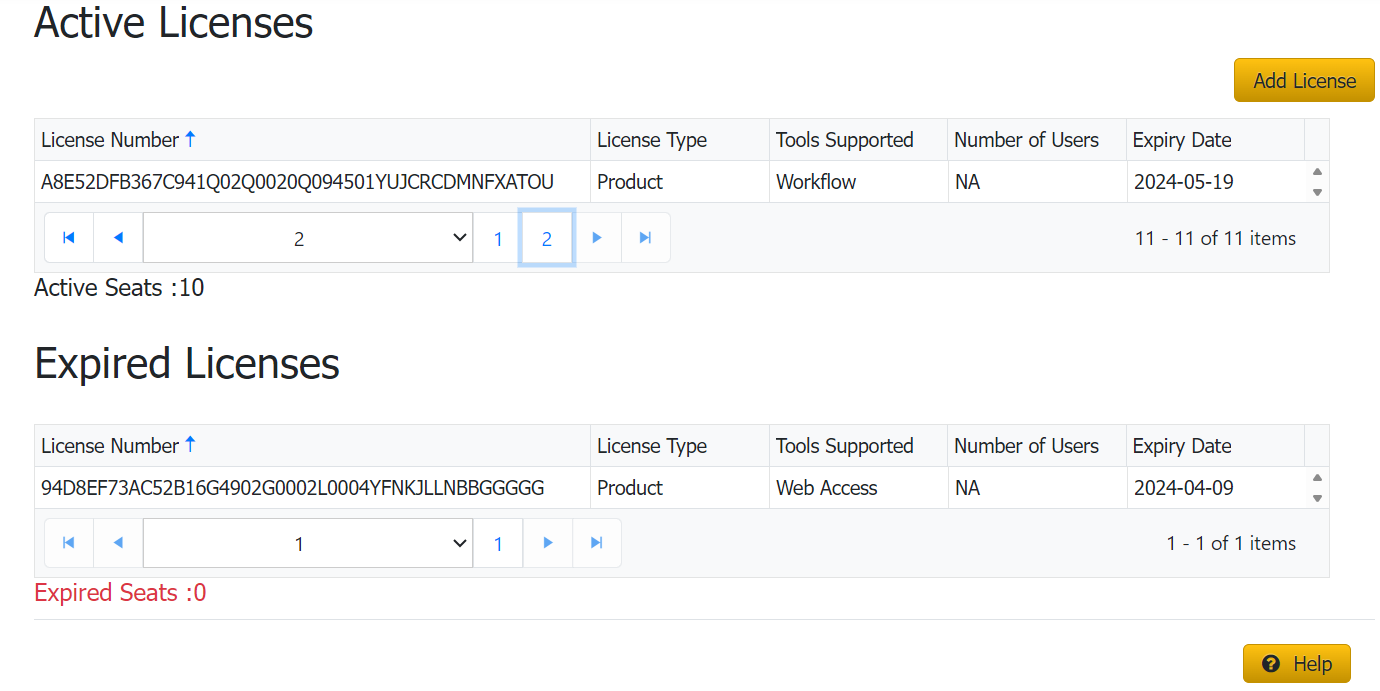
License Number: It is a unique number.
License Type: It specifies the type of License customer purchased.
1. Seat License: It allows the number of concurrent users that are allowed to use the Latitude Products.
2. p roduct License: It allows access to specific products purchased by the user.
Tools supported: It Identifies the product for which this License is applicable.
Each of these tools necessitates a product license for access
- Agency Interface Manager
- AIM Receiver
- Dialer Config
- Dialer Update Service
- Exchange Manager
- Fusion
- List Builder
- Portfolio Manager
- Job Manager
- Workflow
- Web Access
Number of Users: It gives information on the number of users of a specific license (only seat and above. Product license will always have zero number of users)
Expiry Date: It gives information on each product till which license is valid.