

- Contents
Customization
Uses for Self portal customization.
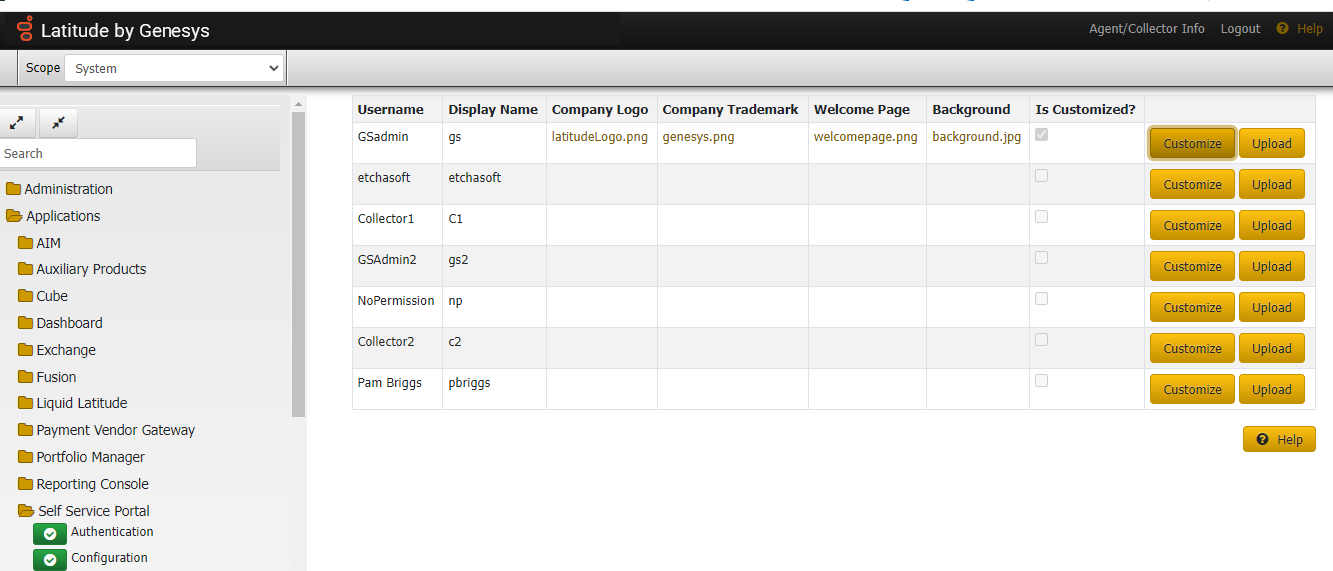
- Displays list of users, any uploaded images for the user, and if the portal theme has been Customization for the user.
- Customize popup allows users to configure Contact Us Information (verbiage, email, and phone). This information will be visible in the portal only if one of the email addresses or phone numbers is configured.
- Customize popup also allows users to customize theme colors as below:
- Primary Color is used to color Confirmation Buttons (Save, Add, Login, etc), Paging Buttons, Context Menu, Check boxes, Radio Buttons, Navigation Links, and Hyperlinks.
- Secondary Color is used to color the Cancel/Close buttons.
- Success Color is used as the success message backdrop after various actions in the application.
- Info Color is used to color the headings of fields on each page.
- Warning Color is used as the warning message backdrop on the Registration page.
- Danger Color is used as the failure message backdrop after various actions in the application.
- Light Color is used for the active/selected navigation menu item and as the default background color on each page.
- Dark Color is used for unselected navigation menu items.
- Header and Footer Colors are used to color the Header and Footer in the application.

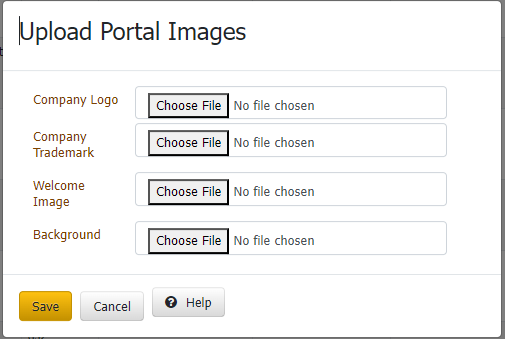
- Upload popup allows users to upload the Company Logo, Company Trademark, Background Image and Welcome Page for the Portal application. If not uploaded, Logo and Trademark will be blank in the application. Welcome Page is visible in Login, Registration and Home pages. Background image is visible as a background in all pages If Welcome Page & Background Image are not uploaded, a solid background of 'Light Color' will be displayed.
- Welcome Page: Width should not exceed 1300 px and height should not exceed 900 px
- Company Logo: Width should not exceed 200 px and height should not exceed 70 px
- Company Trademark: Width should not exceed 300 px and height should not exceed 50 px
- Background Image: Width should not exceed 1300 px and height should not exceed 900 px