


- Contents
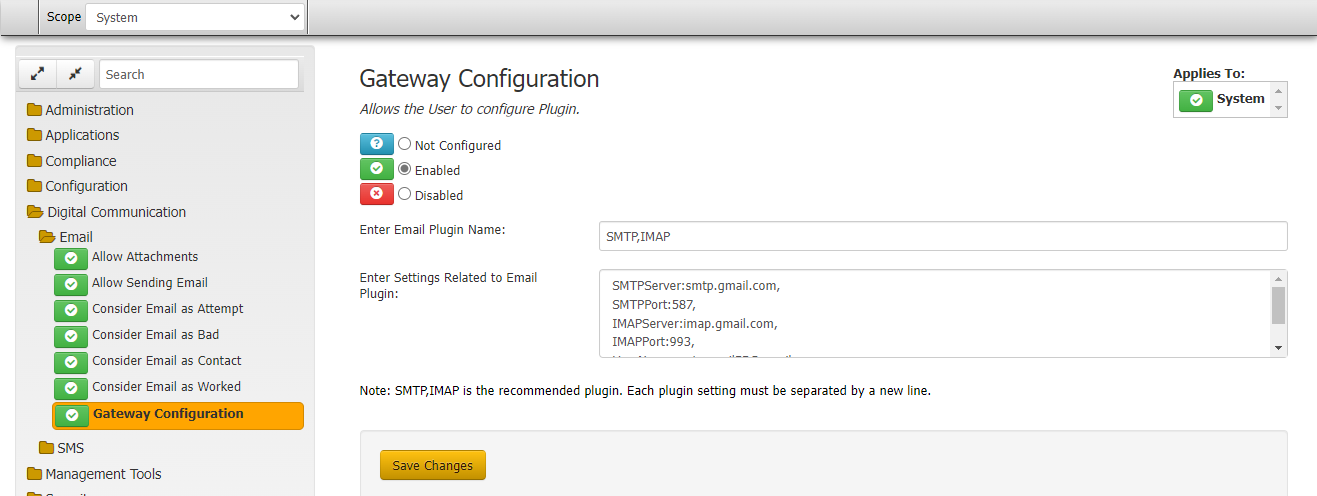
Gateway Configuration for Email
Allows the user to configure plugin.
Location
In the Navigation pane, click Digital Communication > Email > Gateway Configuration.
Scope
This permission is available for the System, client, Client Group, Business Class Scope.
Policy
Gateway Configuration defined at System and Client Scope.
The Plugins used to send and receive Emails is configured here. SMTP and IMAP are recommended plugins. Each plugin setting must be separated by new line.
Enter Email Plugin Name: GenesysCloud,IMAP
Enter Settings Related to Email Plugin:
DialerAPI:https://api.usw2.pure.cloud/
ClientID:75af5ad1-16f9-4798-bbc1-2b86a429fe92
ClientSecret:bEB55QBoYf-iUZv0MOoam-6jQqf0F0n5gNce2-Q5uOI
RedirectURL:https://login.usw2.pure.cloud/oauth/token
FromEmail:www.debtsoftware.com'>latitude@www.debtsoftware.com
FromName:Latitude
IMAPServer:imap.gmail.com,
IMAPPort:993,
UserName:testmail06202022@gmail.com,
Password:usvjuncffroenhbs,
-
Once this configuration is saved, now if the user creates a communication request of type email, then while sending the email, Genesys Clould plugin will be used.
-
User can add genesys email for an account from email reference panel.
-
User will not be able to provide any attachments as Genesys cloud doent provide the apis to add attachment to the email but email without attachment can be sent.
-
After adding email, user can raise a communication request of type email, and from pending requests user can select email type request and click on send Email will be sent.