


- Contents
Letter Console Help
Create a File for Outside Service
Use the Print tab to create a comma delimited file (*.txt) so you can send the letters to an outside service for printing and distribution. If your agency sets up a "dummy" account with your agency's address, you can choose to generate a letter using this "dummy" account to verify letter distribution.
To create a file for outside service
-
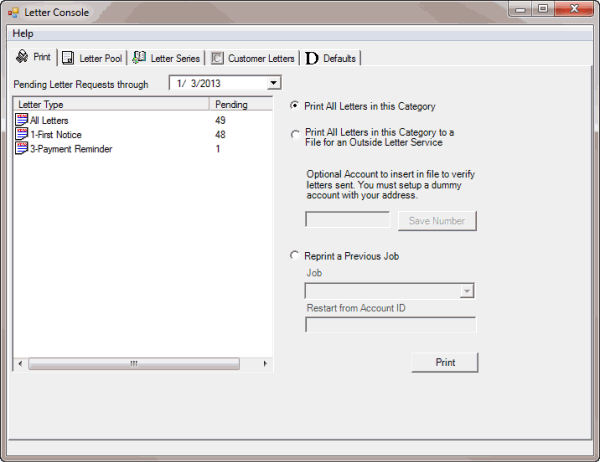
Click the Print tab.
-
To change the date for the pending letter requests, in the Pending Letter Requests Through box, click the arrow and select a date from the calendar.
-
In the list box, click the type of letter to print.
-
Click Print All Letters in this Category to a File for an Outside Letter Service.
-
To verify letter distribution, in the Optional Account box, type the "dummy" account number and then click Save Number.
-
Click Print. The Print dialog box appears.
-
Modify the settings as necessary and then click OK. Letter Console prints the letters and removes the letter type from the list box.