

- Contents
Document Attacher Help
Log on to Document Attacher
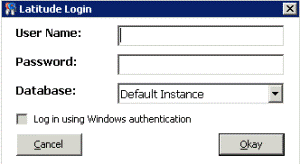
Use the Latitude Login dialog box to log on to Document Attacher.
To log on to Document Attacher
-
Click Start > All Programs > Interactive Intelligence > Interaction Collector > Latitude Document Attacher. The Latitude Login dialog box appears.
-
In the User Name box, type your Latitude user name.
-
In the Password box, type your Latitude password. As you type your password, periods display instead of the typed characters.
Note: To log on using Windows authentication, select the Log in using Windows authentication check box and provide your Windows user name and password.
-
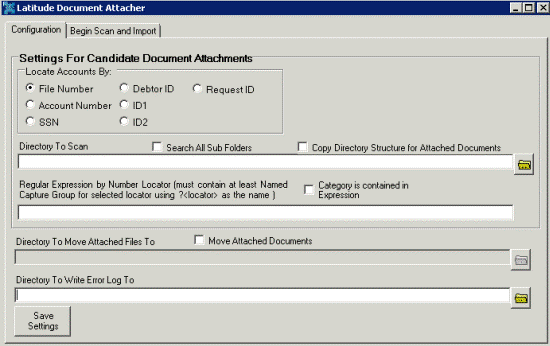
Click Okay. The Latitude Document Attacher window appears.