


- Contents
Goal Manager Help
Define the Goal Context
Use the Goal Context page of the Goal Wizard to define the context of the goals.
To define the goal context
-
Ensure that you have the Goal Context page displayed.
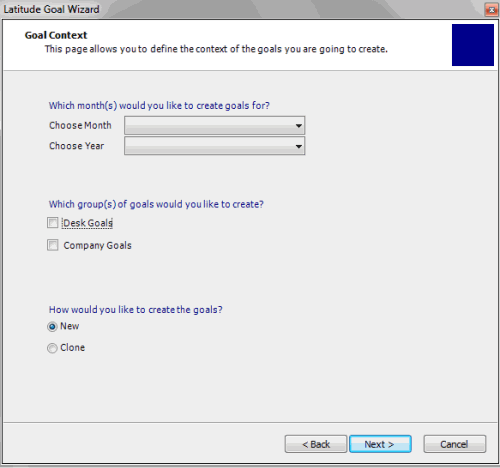
Choose Month: Month for which to create goals. To create goals for all 12 months, click All Months.
Choose Year: Year for which to create goals.
Desk Goals: If selected, indicates that you want to set goals for desks.
Company Goals: If selected, indicates that you want to set goals for each division within each customer goal group. (You set customer goals for individual branches separately.)
New: If selected, indicates that you want to create goals by setting new fee and gross amounts.
Clone: If selected, indicates that you want to create goals from previous goals.
-
Complete the information and then click Next.