


- Contents
Goal Manager Help
Set the Goals
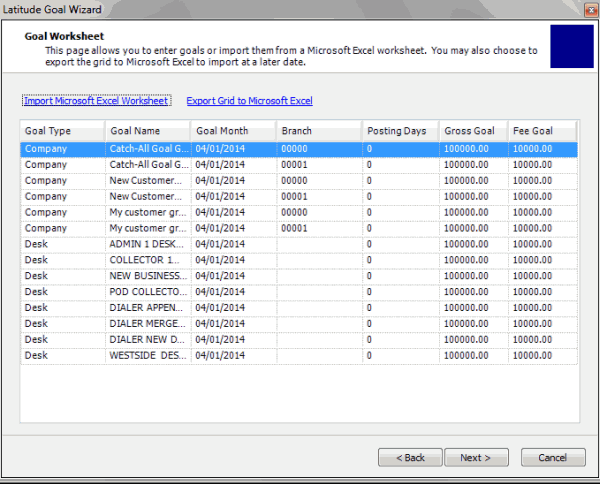
Use the Goal Worksheet page of the Goal Wizard to set the goals for company groups and desks. You can modify the goals on this page or export the data, modify it, and import it back into the Goal Wizard. If you indicated on the Previous Goal Information page that you want to set the same goals for all companies and desks, you can modify the amounts as necessary.
To set the goals
-
Ensure that you have the Goal Worksheet page displayed.
-
To set the goals on this page, type the goal amounts in the Gross Goal and Fee Goal boxes.
-
To export the data to Microsoft Excel to modify it, do the following:
-
Click Export Grid to Microsoft Excel.
-
Specify the file location and name and then click Save.
-
Open the file in Microsoft Excel, modify the data, and then save the file. You can now import the data into the Goal Wizard.
-
To import data from Microsoft Excel, do the following:
-
Click Import Microsoft Excel Worksheet.
-
Select the file to import and then click Open.
-
The system updates the data grid to reflect the modified data.
-
Click Next and then click Finish.