


- Contents
Goal Manager Help
Specify the Goal Entities
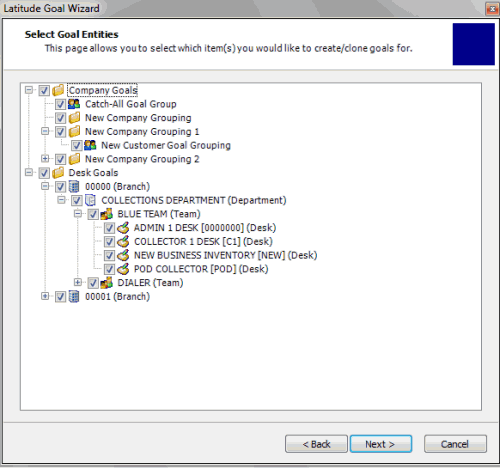
Use the Select Goal Entities page of the Goal Wizard to specify the entities for which to create or copy goals. Entities include company groups, customer groups, desks, branches, departments, and teams. Only the entities that your organization set up in Latitude are available.
To specify the goal entities
-
Ensure that you have the Select Goal Entities page displayed.
-
To set goals for companies, do one of the following:
-
To set goals for all companies, select the Company Goals check box.
-
To set goals for specific companies, click the plus sign (+) and then select the company check boxes.
Note: If you select a company group level check box, the system selects the check boxes for all groups within that company group. You can clear individual check boxes as necessary.
-
To set goals for desks, do one of the following:
-
To set goals for all desks, select the Desk Goals check box.
-
To set goals for specific desks, click the plus sign (+) and then select the desk check boxes.
Note: If you select a branch level check box, the system selects the check boxes for all departments, teams, and desks within that branch. If you select a department level check box, the system selects the check boxes for all teams and desks within that department. If you select a team level check box, the system selects the check boxes for all desks within that team. You can clear individual check boxes as necessary.
-
Complete the information and then click Next.