

- Contents
PureConnect Cloud Resources
Emergency Service Labels
With the Genesys phone service you can call for emergency services using your regular emergency dialing number. For example, PureConnect users in the United States can dial 911 for emergency service. However, the Genesys phone service and the emergency dialing service are Internet-based. Therefore, access to Emergency Services could be limited or unavailable under certain circumstances, such as a power outage or a broadband/Internet service disruption.
You must affix warning labels to ALL equipment that you connect to the Genesys phone service, and it is imperative that you do so. The labels instruct users to plan to provide an address and physical location in the event of an emergency.
Print Labels
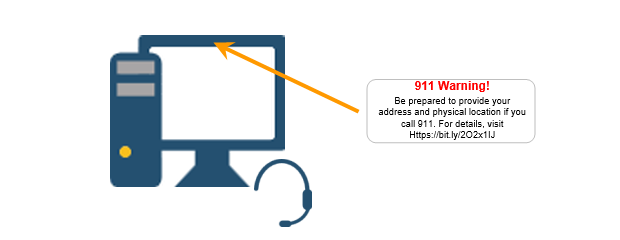
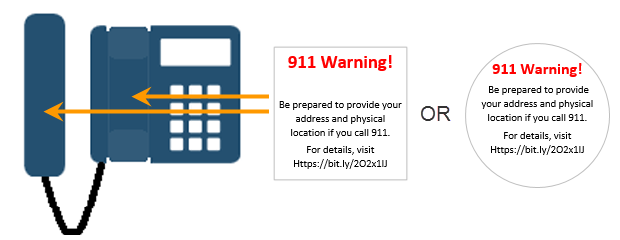
You can print device-specific labels and place the label on all equipment that you connect to the Genesys phone service. After you print the labels, place them on the specific devices as illustrated.
- Locate the appropriate labels.
- Labels for phones.
- Labels for softphones
- Download the label document (PDF) to your computer.
- Insert the recommended Avery label sheet into a color laser or color inkjet printer. You can find the Avery label product numbers next to each download link. In addition, you can find the Avery label product number in the file properties for each PDF.
- Open the label document using a PDF reader.
- Print your labels.
Labels for phones
Place warning labels for phones on both the handset and base if possible. You can use either the square or round labels. The one you choose is up to you and depends on the size of your phone.
• Download and print the round phone labels (Avery 8293)
• Download and print the square phone labels (Avery 22805)
Labels for softphones
Place warning labels for softphone systems above the screen on the monitor.