


- Contents
PureConnect CX Insights Help
Latest CX Insights Application UI Updates
MICROSTRATEGY 2020 - MICROSTRATEGY 2021: CXINSIGHTS WEB APPLICATION UI COMPARISON:
As a new platform release, CXInsights application introduces new feature updates that provide ease to use and better performance to enhance the overall user experience.
Below is the list for the new feature updates exclusive to CXInsights MicroStrategy 2021 Application from MicroStrategy 2020 version that can be witnessed.
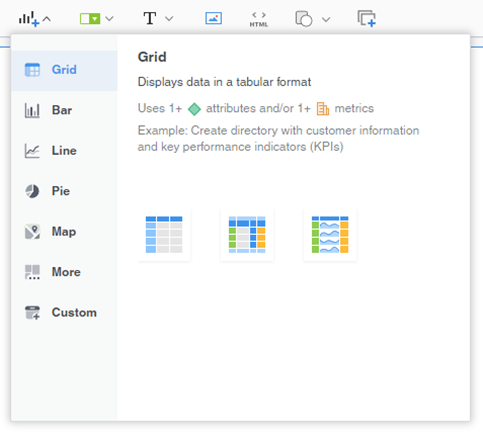
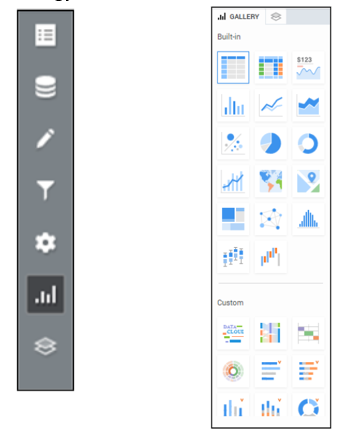
1. Contextual Link in Visualization menu:
“Open in new tab (Web only)” option is present in the contextual Link. It can be accessed from the edit menu in visualization tab. This feature is added in the MicroStrategy 2021 Web Application and is not found in MicroStrategy 2020 version.
|
MicroStrategy 2021 version |
MicroStrategy 2020 version |
 |
 |
2. Center Tool Bar:
The MicroStrategy 2021 version has the addition of Shape with drop-down to select multiple shapes and a Panel Stack option to stack multiple visualization tabs together. This option is present in the center toolbar.
The above mentioned additions are not present in the 2020 Web Application.
|
MicroStrategy 2021 version |
MicroStrategy 2020 version |
 |
 |
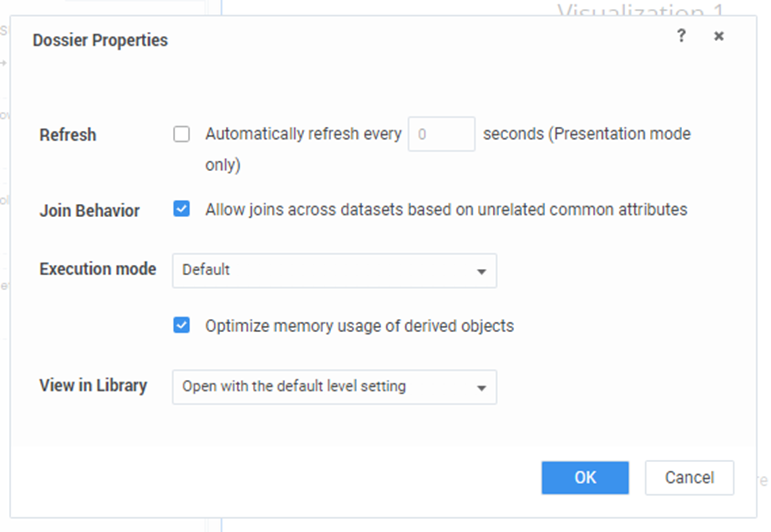
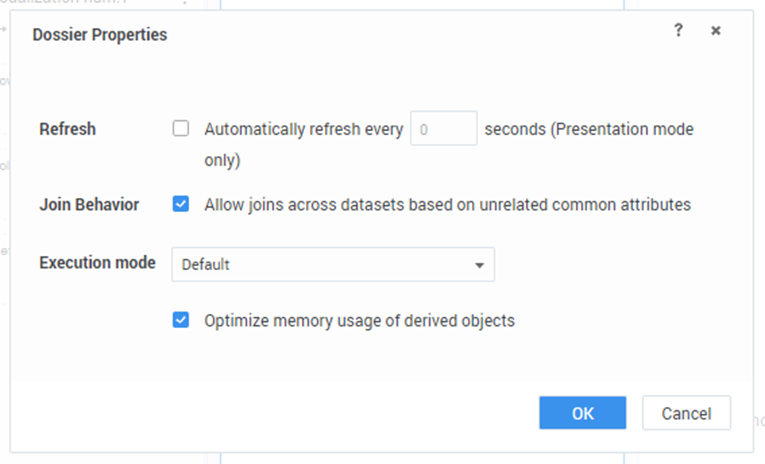
3. Dossier Properties under File Menu:
The Library sidebar allows you to switch to a different environment's library or view your downloads. You can also view Recent, and custom groups that you have created.
The addition of “View in Library” in the Dossier Properties for MicroStrategy 2021 CXInsights Web Application lets you open with default level setting or with last saved or last viewed dossier.
|
MicroStrategy 2021 version |
MicroStrategy 2020 version |
 |
 |
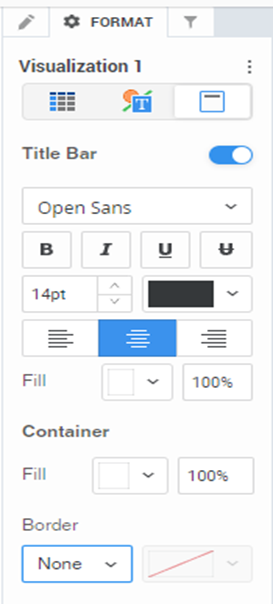
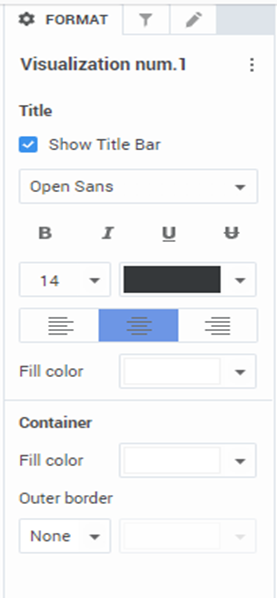
4. Format Panel:
Once you create a visualization filter, you can customize the display of the filter, such as whether to display a title, the title's font, and the display style of the filter. A visualization filter, filters data within the visualizations you select as targets.
Visualization Options, Text and Form, Tiles and Container options are present separately inside the Format Panel in the latest version. It is not found in the panel for earlier MicroStrategy Web Application version.
|
MicroStrategy 2021 version |
MicroStrategy 2020 version |
 |
 |
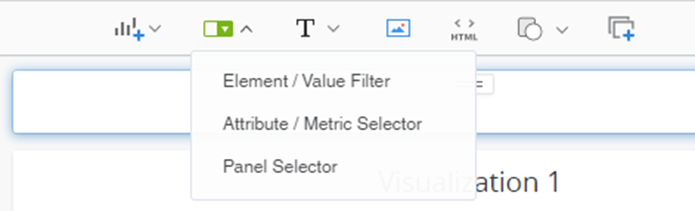
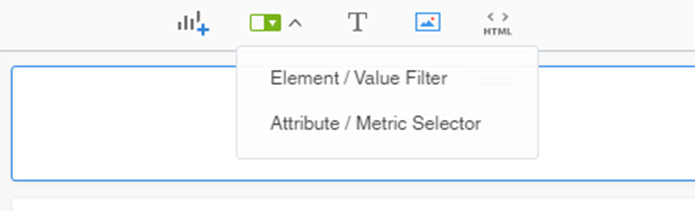
5. Drop-Down menu within Filter (center Tool Bar):
The addition of Panel Selector in the Filter drop-down menu lets you style your panel. This feature update is present in MicroStrategy 2021 CXInsights Web Application and not in earlier versions.
|
MicroStrategy 2021 version |
MicroStrategy 2020 version |
 |
 |
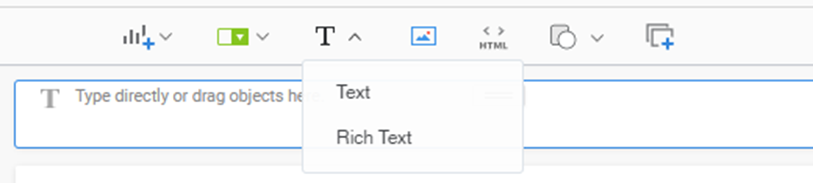
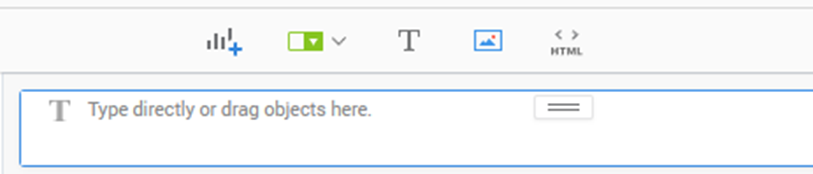
6. Drop-Down menu within Text (center Tool Bar):
Rich Text along with Text is present in the menu expanded from the Text option present in the center toolbar.
This feature update is witnessed in the MicroStrategy 2021 version. For MicroStrategy 2020 version Rich Text option is not available.
|
MicroStrategy 2021 version |
MicroStrategy 2020 version |
 |
 |
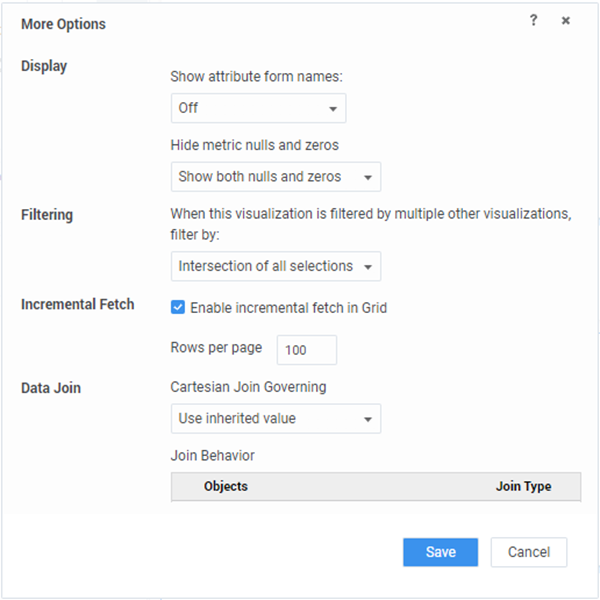
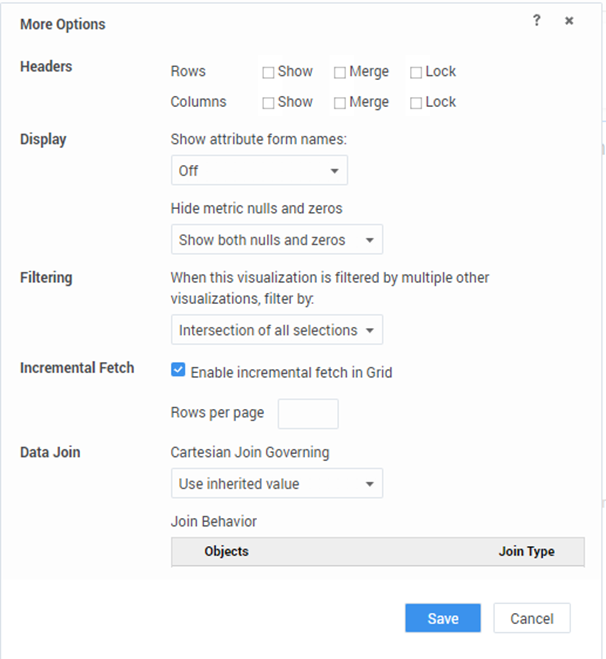
7. More Options menu in Visualization tab:
More Options for Visualization can be accessed from the edit menu in the visualizations tab and is used for Filtering, Incremental Fetch, Data Join and Display options.
In earlier versions an option for Headers was also included in the more options sections of visualization. It included filter for Rows and Columns as Show, Merge and Lock. This feature is not included in the MicroStrategy 2021 version.
|
MicroStrategy 2021 version |
MicroStrategy 2020 version |
 |
 |
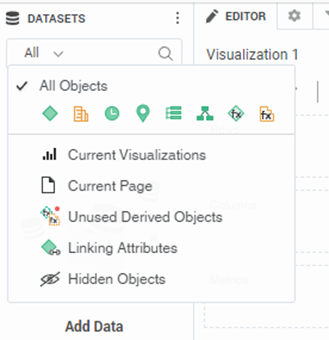
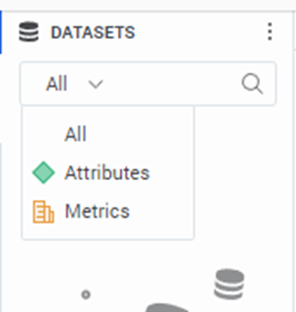
8. Drop-Down in Search (under Datasets Panel):
Data Sets can be searched accordingly and now can be filtered with multiple options available in the latest version of MicroStrategy Web Application.
Current Visualization, Unused Derived Objects and other options are present. Also one can view all Metrices, Time and Geo Attributes, Custom Groups, Hierarchies and some more objects filter.
|
MicroStrategy 2021 version |
MicroStrategy 2020 version |
 |
 |
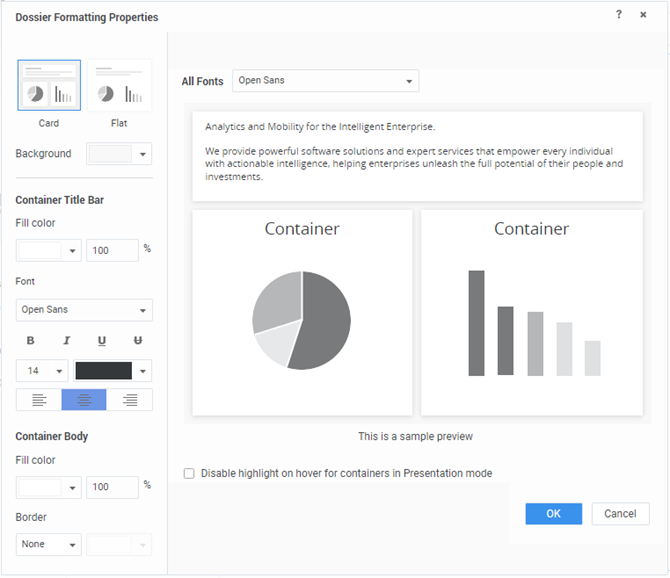
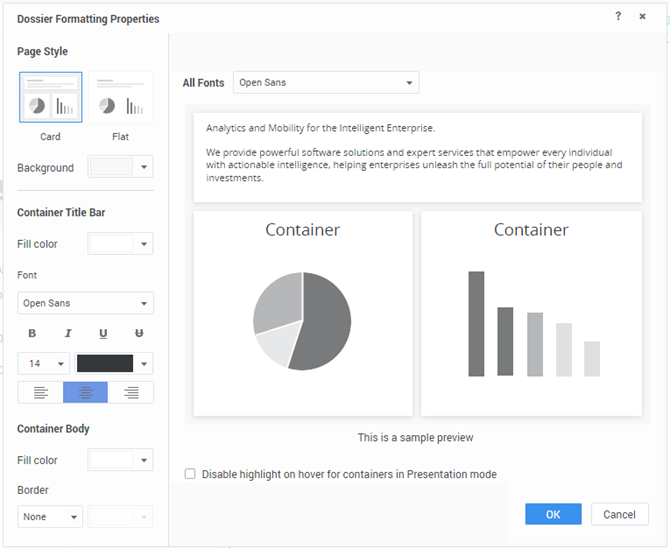
9. Dossier Formatting Properties within Format (in Menu Bar):
Along with the Fill Color option in the Container Body, an entry for the percentage of the color to be filled is included in the Fill Color section. This feature update can be witnessed at various places within the web application.
This is witnessed in the latest version and not in the earlier versions.
|
MicroStrategy 2021 version |
MicroStrategy 2020 version |
 |
 |
10. Convert to Free-form Layout (Tool Bar-Right):
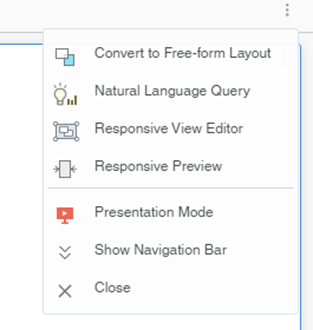
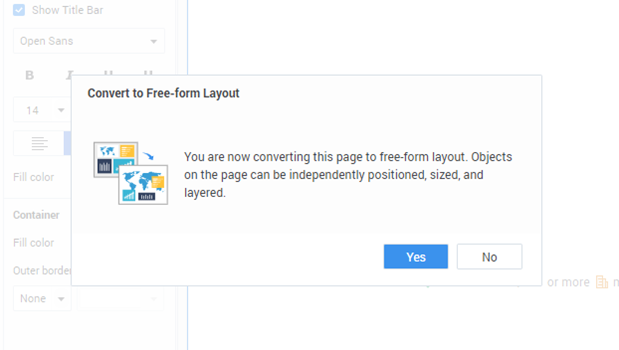
The above convert to Free-form layout option within the toolbar section provides the user to independently position objects on the page and to size them and layer them accordingly.
Earlier in the MicroStrategy 2020 CXInsights application a confirmation alert used to pop-up on selecting the above option, whereas no alert is witnessed in the latest app.
|
MicroStrategy 2021 version |
MicroStrategy 2020 version |
 |
 |