


- Contents
Interaction Reporter Help
Adherence Summary Percentage by Date/User Report
This report displays duration, total of exceptions, percentage in and out of adherence by date, for users in the scheduling unit. This report also displays user data for scheduled days with no exceptions, showing users with 100% adherence to the schedule.
The report is sorted by Date and then by User.
Parameters
For this report, specify: Unit name, list of Unit Names, or a range of Unit Names; a Date and Time range, or a set of ranges; a User, list of users, or a range of Users, and the threshold in seconds.
|
Report Log Tables |
Interaction Administrator Unique Report Identifier |
|
IO_RTAException IO_Agent IO_ActivityType |
ADHERENCE_PERC_DATE |
Sample report
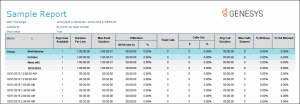
Click on the image below to view a sample of this report.
|
Report Element |
Report Field or Value |
Field or Value Description |
|
Report Title |
ReportTitle |
Adherence Summary Percentage by Date/User |
|
Scheduling Unit |
UnitName |
Schedule Unit, list of Schedule Units, or range |
|
Users |
UserName |
A User, list of Users, or range of Users |
|
Date and Time Range |
ReportDateTime |
A date and time range for this report |
|
Current Sensitivity Threshold (hh:mm:ss) |
Threshold |
The specified threshold parameter |
|
Scheduled Time |
|
hh:mm |
|
Total Exceptions |
{calculated} |
Total number of exceptions to the schedule listed by day |
|
Number of Exceptions > 0:00:00 |
{calculated} |
Number of exceptions greater than the specified threshold parameter in h:mm:ss, for example 0:05:00 |
|
Out of Adherence |
SecsOutOfAdherence |
hh:mm:ss |
|
% Out Adherence |
{calculated} |
Percentage out of schedule adherence |
|
% In Adherence |
{calcualted} |
Percentage in schedule adherence |
|
Summary of week ending |
{calculated} |
Totals the details for the week for selected users in the scheduling unit |
|
Summary all selected dates for user |
{calculated} |
Totals the details for each user for all selected dates |
Record Selection Criteria for this report includes:
{IO_RTAException.SchedulingUnit} in {?UnitName} and
{IO_RTAException.StartDateTime} in {?ReportDateTime} and
{IO_Agent.UserName} in {?UserName}