


- Contents
Interaction Reporter Help
Time Off Request by Scheduling Unit Report
This report displays the time off request by scheduling unit, and includes: Request Date, Agent, Request Type, the state of the request, Time Off Duration, and indicates it the request is Paid Time Off.
Parameters
For this report, specify: a Begin Date and Time; an End Date and Time; a User, list of Users, or a range of Users; a type of request; a value for the status of the request; and a Unit Name, list of Unit Names, or a range of Unit Names.
|
Report Log Tables |
Interaction Administrator Unique Report Identifier |
|
IO_TimeOffRequest IO_Agent IO_SchedulingUnit |
IO_TIMEOFF_UNIT |
Sample report
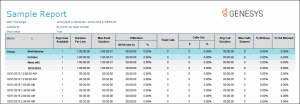
Click on the image below to view a sample of this report.
|
Report Element |
Report Field or Value |
Field or Value Description |
|
Report Title |
ReportTitle |
Optimizer Time Off Request Report by Scheduling Unit |
|
Date Time Range |
StartDate_GMT, EndDate_GMT |
The beginning and ending date and time specified in the parameters when running the report |
|
Scheduling Unit |
SchedulingUnit |
Scheduling unit specified when running the report |
|
Request Date |
|
Date agent requested time off |
|
Agent |
Agents |
Agent name |
|
Request Type |
RequestType |
Lists the type of time-off request, such as Full Day |
|
Request State |
RequestState |
State that the request is in, such as Approved |
|
Time Off Duration |
TimeOffDurationTimeFormat |
Listed in hh:mm:ss |
|
Paid Time Off |
PaidTimeOffFlag |
Indicates Yes/No value |
Record Selection Criteria for this report includes:
{IO_TimeOffRequest.StartDateTimeUTC} in {?StartDate_GMT} to {?EndDate_GMT} and
{IO_SchedulingUnit.SchedulingUnitName} in {?SchedulingUnit}
and {IO_TimeOffRequest.RequestState} in {?RequestState}
and {IO_TimeOffRequest.RequestType} in{?RequestType}
and {IO_Agent.UserName} in {?Agents}