- Contents
PureConnect Release Notes
Interaction Connect Create Personal Responses
Interaction Connect users can create their own stored responses, organize them in categories, and store them in a personal Response Management library. These users can then search for and use these personal responses in interactions.
Interaction Connect users can create and edit only their own personal responses. Personal responses are private and are not available to other CIC users.
-
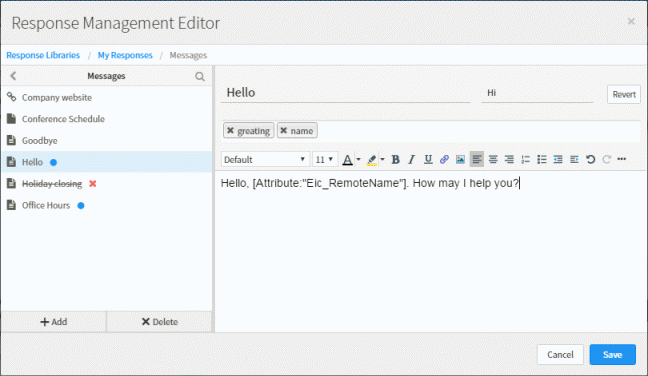
Interaction Connect users create these personal responses in the new Response Management Editor. This editor supplies a full range of text formatting tools. It also enables the user to insert clickable URLs, hyperlinks to images, or macros that supply interaction attributes such as the name of the agent. Users can also create file responses that upload a file from their workstation as an attachment in email or chat interactions.
Requirement: The Response Management Editor requires a 2017 R2 or later CIC server.
-
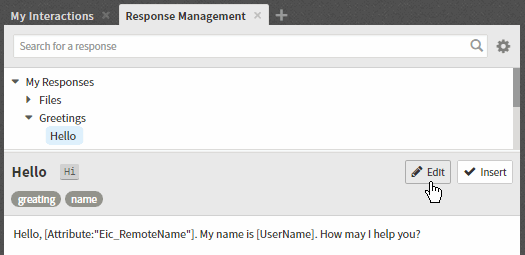
These responses appear in the My Responses folder in the Response Management view. Agents can search for these responses by name or label. They can use shortcuts to insert these responses in email or chat interactions.