

- Contents
PureConnect for Salesforce
CIC Client
Depending on the version of PureConnect for Salesforce, the position and appearance of the CIC client can change. The menus and call controls remain the same.
Lightning Experience
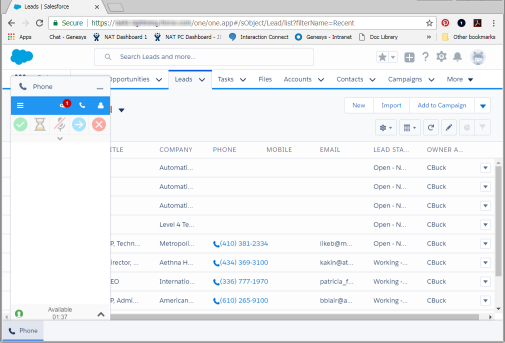
You can display or hide the CIC client inside the PureConnect for Salesforce experience. Display the CIC client by clicking the Phone icon in the lower left corner. Use the minimize control (—) in the CIC client to hide it.
The PureConnect for Salesforce Lightening Experience offers significant advantages over the PureConnect for Salesforce integration in the Classic mode. For more information, see Lightning Experience support.
Classic mode
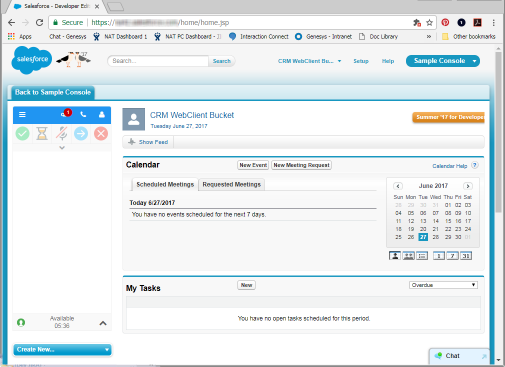
PureConnect for Salesforce Classic mode contains a permanently displayed and docked CIC client.
Console mode
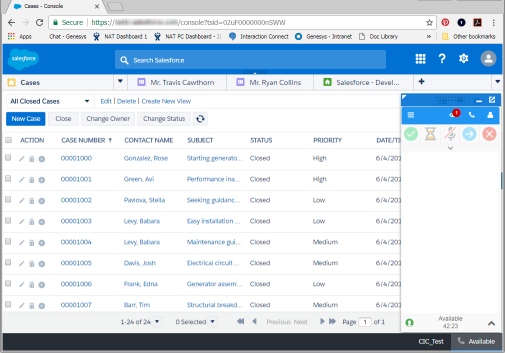
PureConnect for Salesforce Console mode also contains a CIC client that you can display or minimize. This version of the CIC client is located in the lower right corner.