

- Contents
PureConnect Installation and Configuration Guide
Verify Master Administrator permissions and rights
Before configuring users, you should consider the rights and permissions they require. In Interaction Administrator, you can configure objects for Users, Roles, Workgroups, and the Default user. The Security tab allows administrators to assign attributes that define the rights and accessibility that users have.
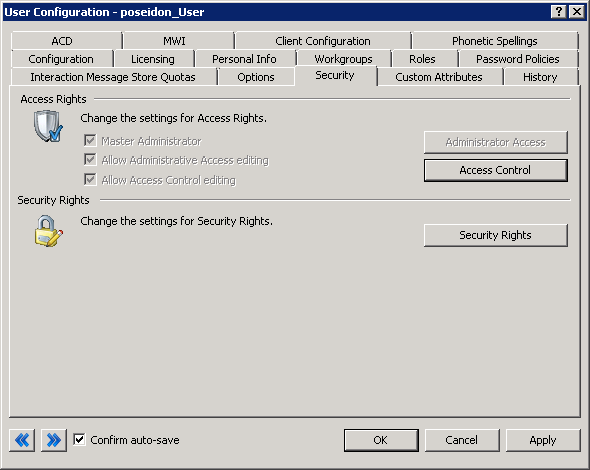
The Master Administrator has full rights over all aspects of Interaction Administrator. Anyone with Master Administrator rights can view and modify everything in Interaction Administrator, and can assign or remove all levels of administrator rights for any other Customer Interaction Center user account, including others with Master Administrator rights. The Master Administrator check box can be considered the "Select All" for permissions within the Security tab.
To confirm the CIC Administrator account has master administrator permissions and rights
Open Interaction Administrator, expand the People node, click Users, and double-click the CIC Administrator account. The User Configuration screen opens for the administrator. On the Security tab, ensure the Master Administrator check box is selected.