


- Contents
Genesys Cloud for PureConnect Administrator's Guide
Start Genesys Cloud with PureConnect Credentials
This topic describes how to log on to Genesys Cloud without using a PureConnect client or Interaction Administrator.
Requirements: You must first Enable PureConnect as a Genesys Cloud Single Sign-On provider. The certificate used in this SSO provider configuration must be part of the trust chain in the user's browser. Typically, the administrator uses a certificate that is fully trusted across all their agents' browsers or workstations.
-
Point your browser to the Genesys Cloud log in page.
Note: The specific address corresponds to your region.

-
Select More Login Options.
-
Enter your Organization Name. Click Next.
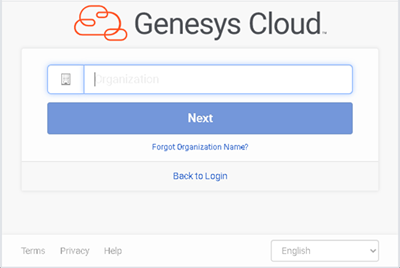
-
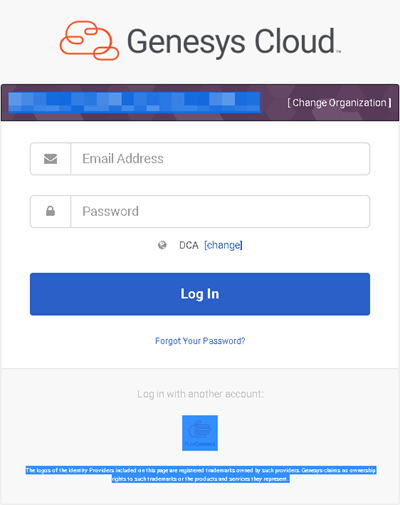
Click the icon under Log in with another account.
Note: This is the icon specified in the Genesys Cloud SSO provider configuration. This icon reminds users they are choosing to use PureConnect credentials.
-
In the PureConnect log on dialog box, enter your PureConnect User ID and Password.
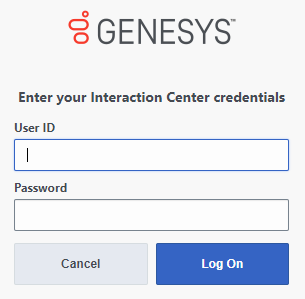
Result: You log on to Genesys Cloud. Once logged on, an individual user's Genesys Cloud permissions determine which features are available.