

- Contents
CIC Integration with SAP CRM Installation and Configuration Guide
Screen pop
On this page Hide
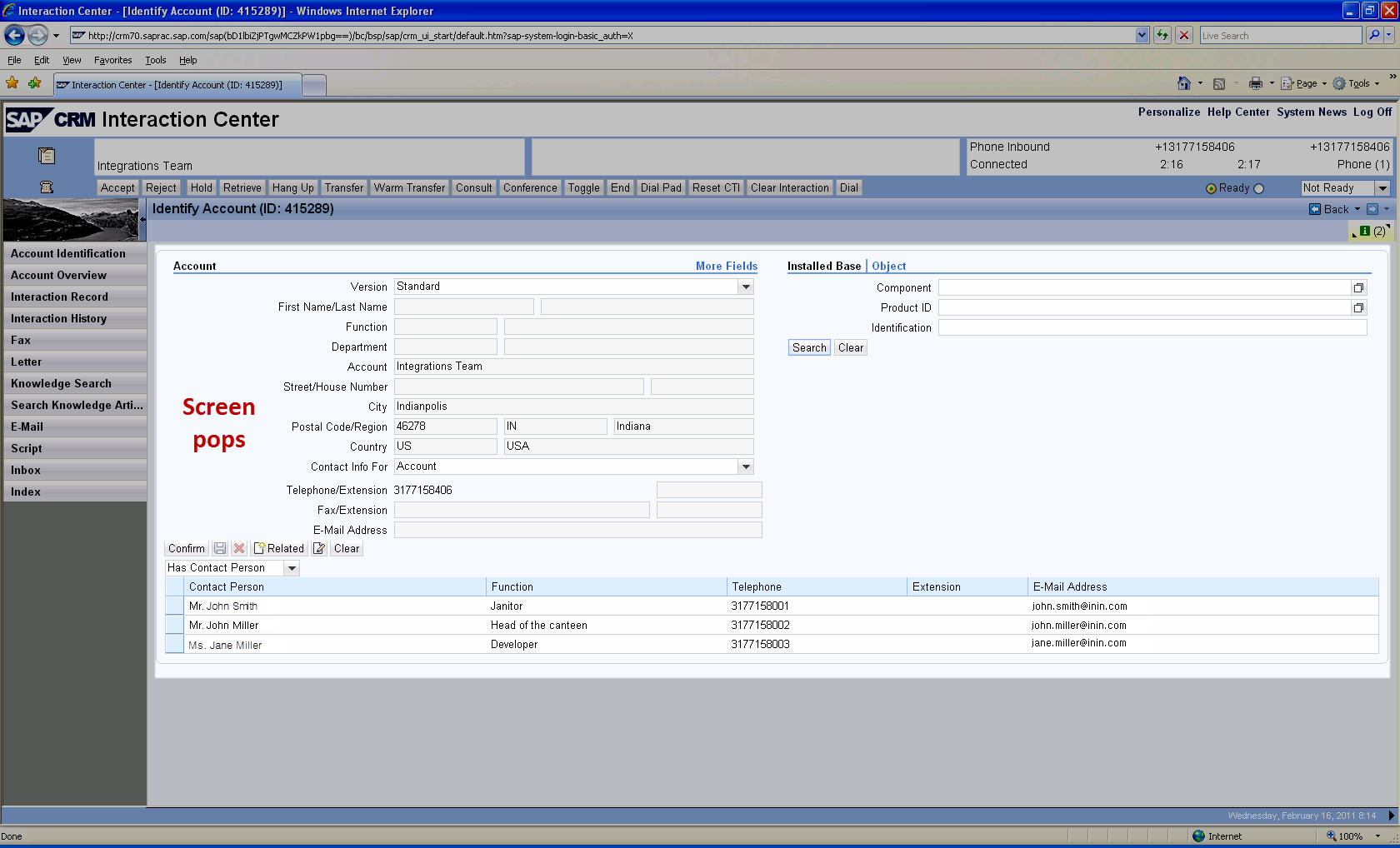
- Screen pop on inbound call based on ANI
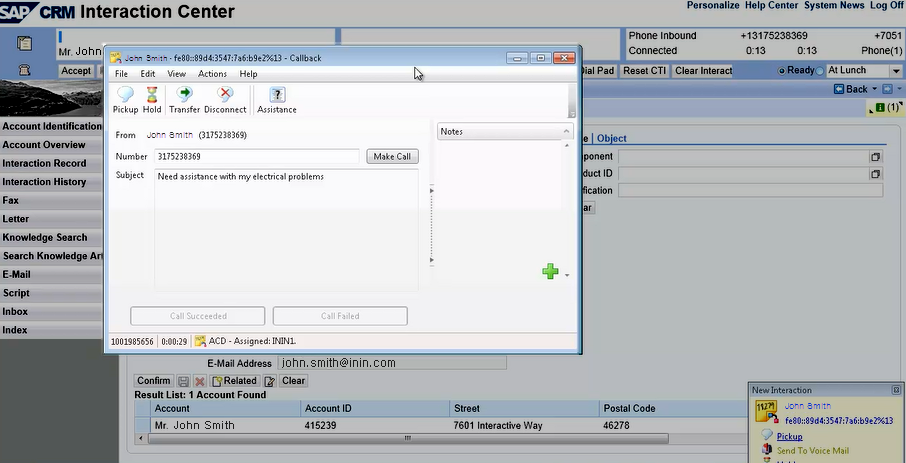
- Screen pop for callback interaction based on callback number
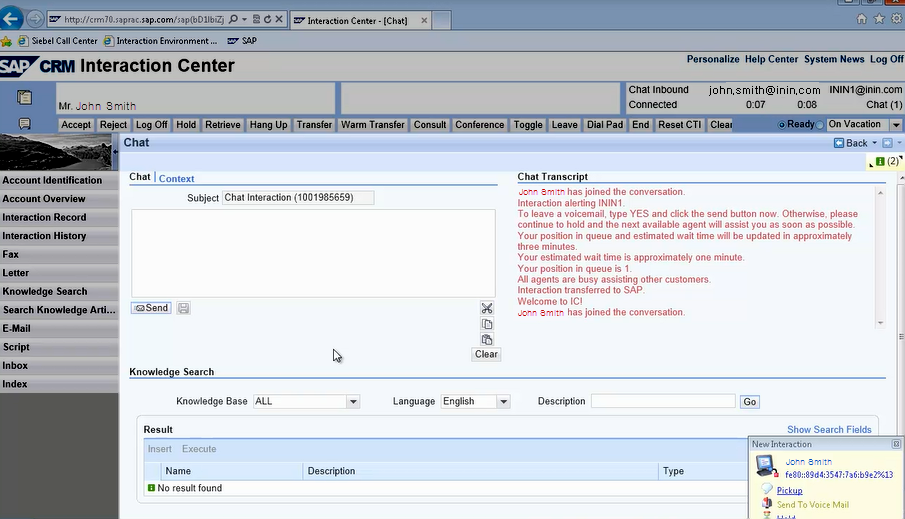
- Screen pop with embedded chat functionality for chat interaction
- Screen pop for action item based on email address
- No available ANI
- No match on ANI
- Matching ANI to one account
- Matching ANI to more than one account
- Matching ANI to a single contact within an organization
- Matching ANI to an organization account
The integration passes information from the IVR on the CIC server to SAP in the form of item attached data. Item attached data is an SAP-defined XML structure that sends information to customized application functions within SAP that are dependent upon your business processes. Records in SAP pop in a browser window based on the data pulled from the IVR.
Following are examples of screen pops.
Screen pop on inbound call based on ANI
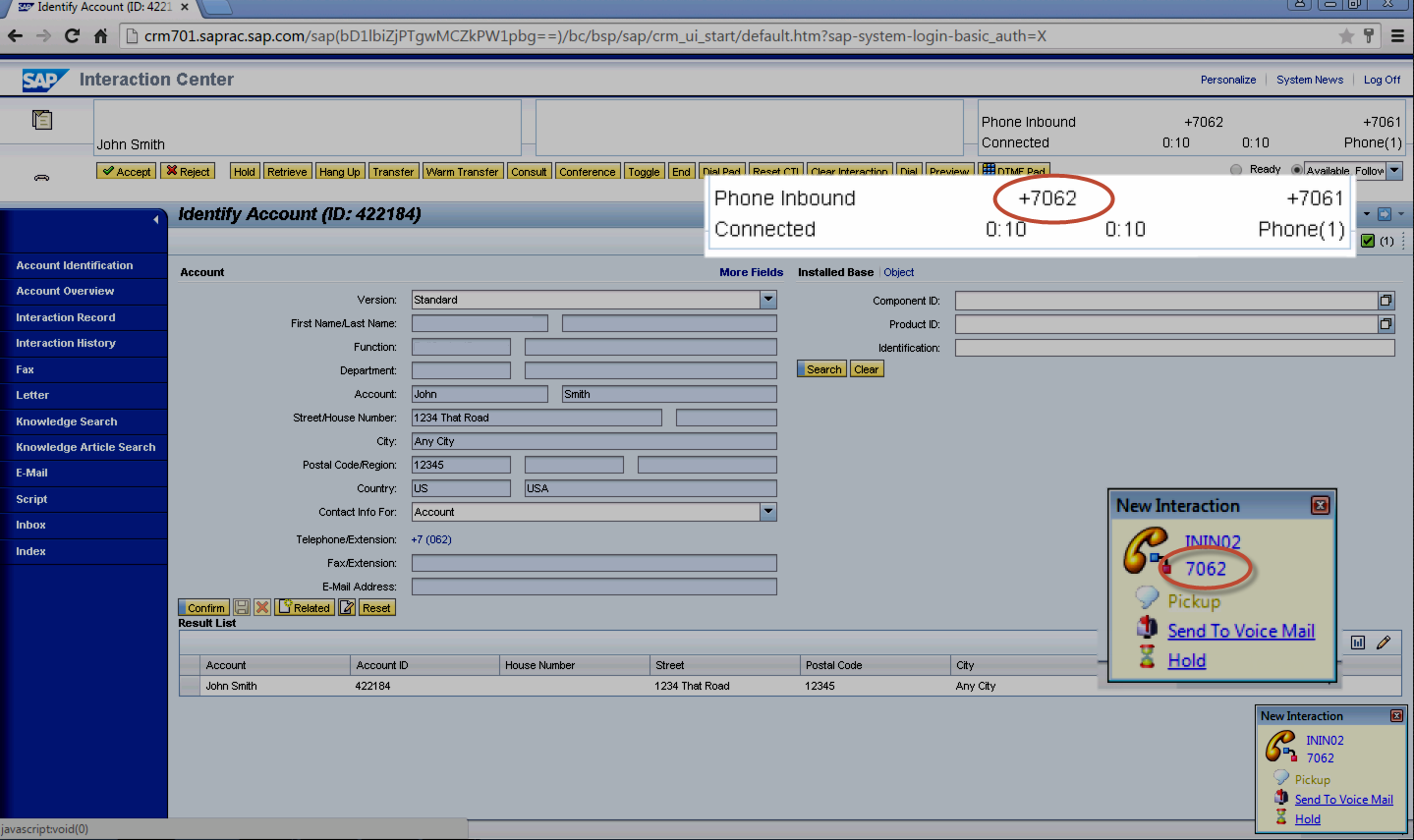
Screen pop for callback interaction based on callback number
Screen pop with embedded chat functionality for chat interaction
Screen pop for action item based on email address
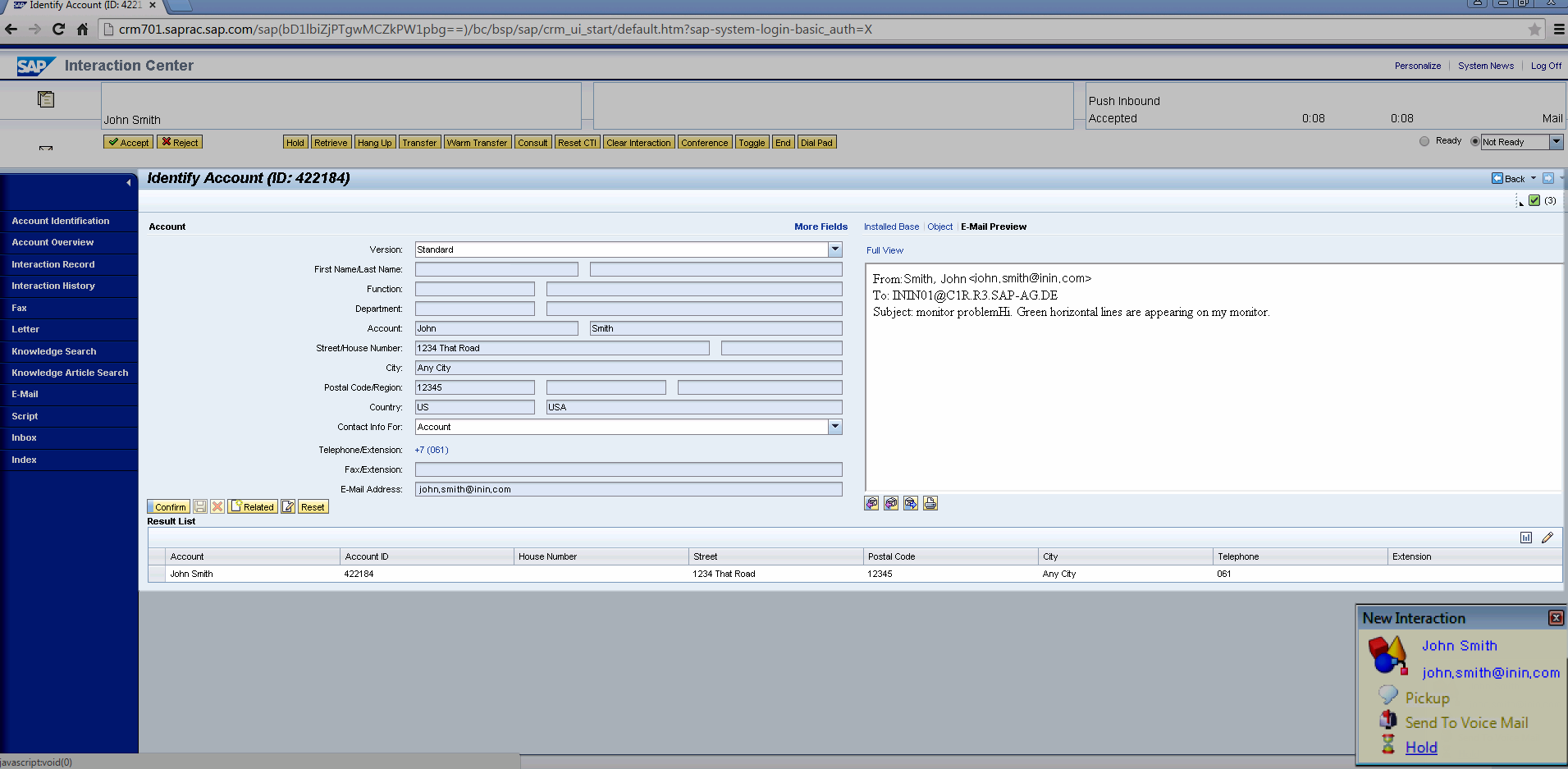
Following are examples of screen pops for different call scenarios.
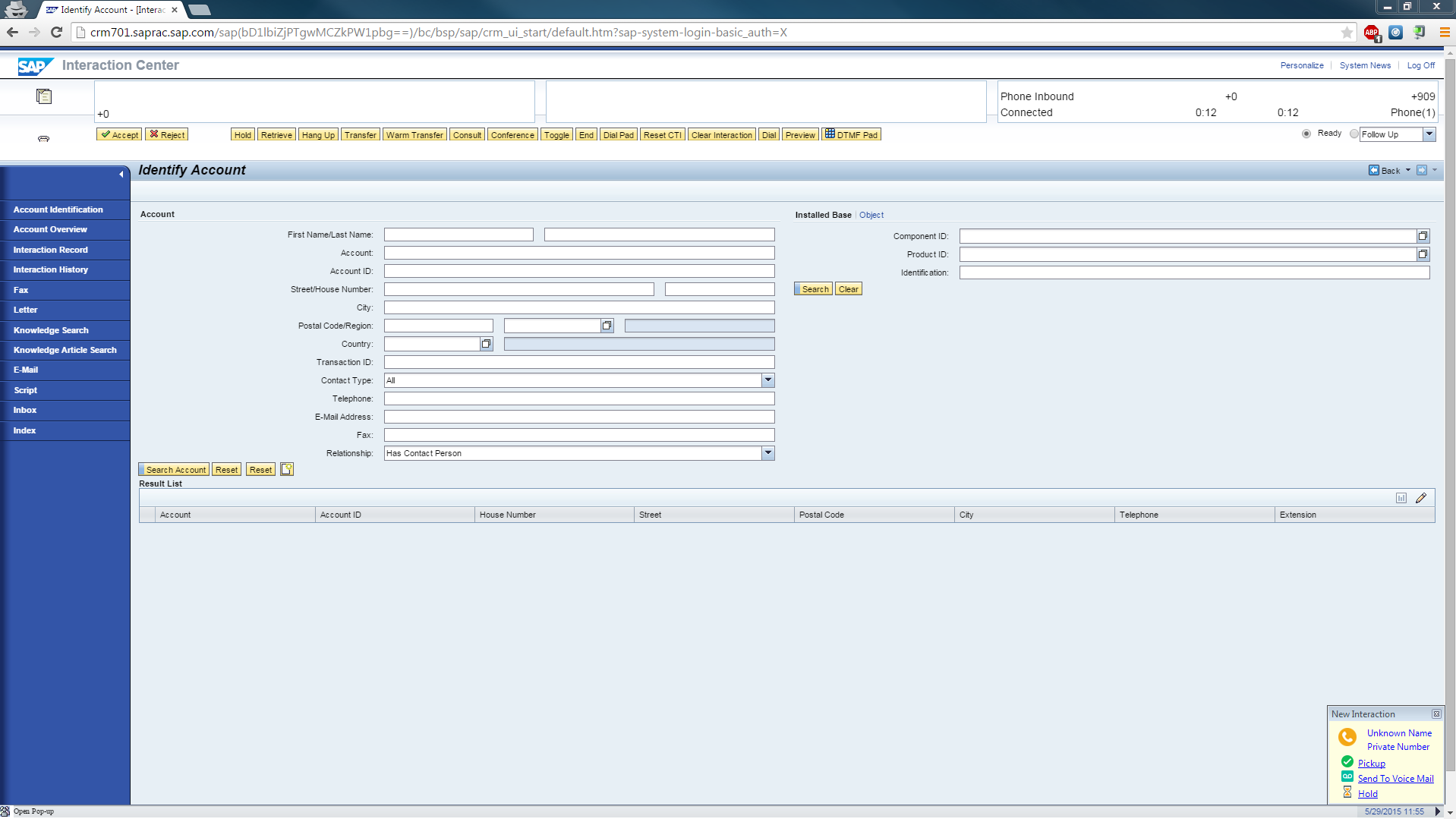
No available ANI
If the call has no ANI, any known call details display on the right side of the CTI control bar as the call is alerting. If the integration configuration retrieves the ANI from a defined interaction attribute, calls with no ANI can suppress screen pops.
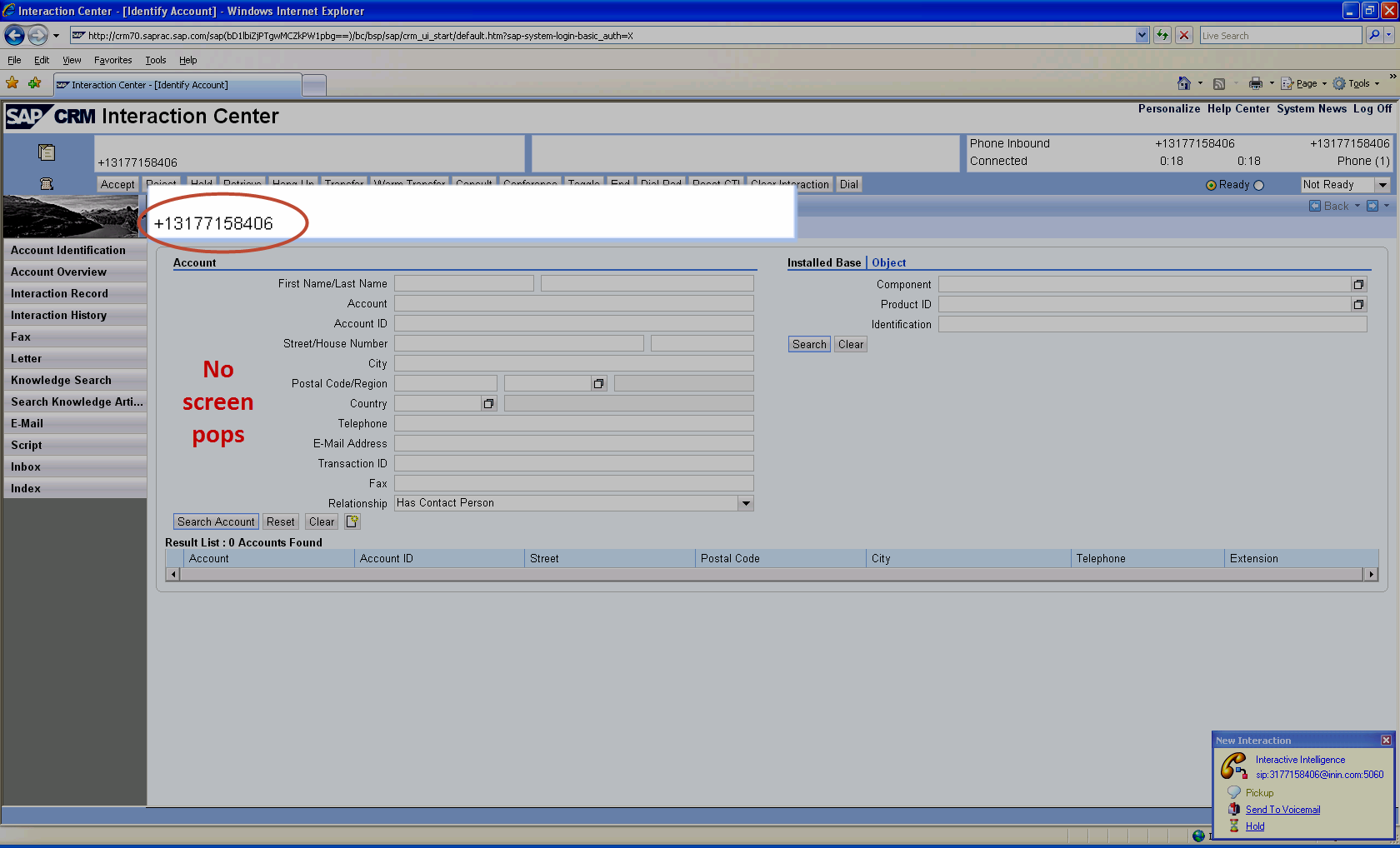
No match on ANI
If the ANI does not match any data, the number displays on the left side of the CTI control bar as the call is alerting.
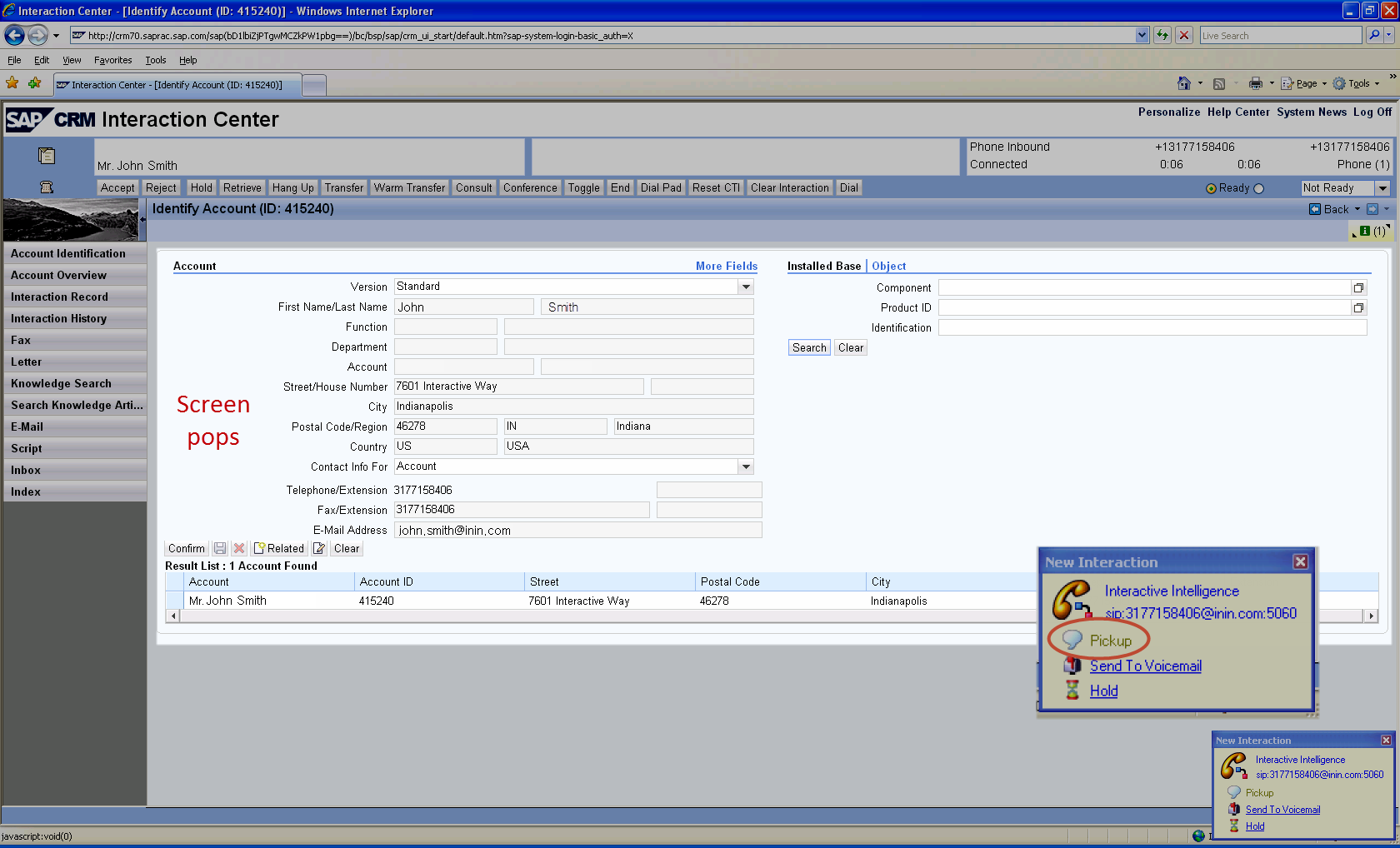
Matching ANI to one account
If the ANI matches exactly one SAP business partner, the CTI control bar displays the name on the account on the left side as the call is alerting.
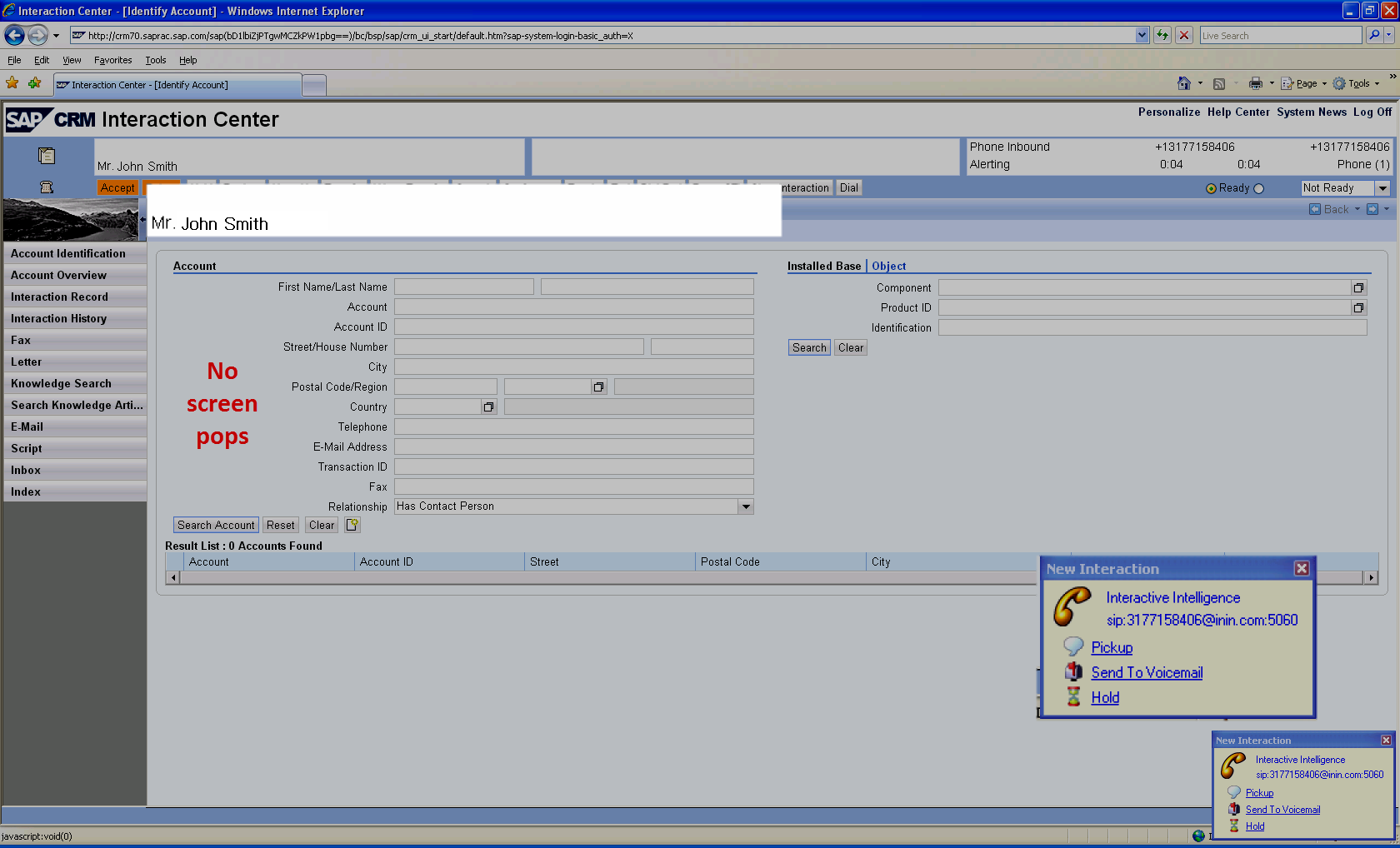
Once the agent accepts the interaction, SAP pops the account information to the agent.
Matching ANI to more than one account
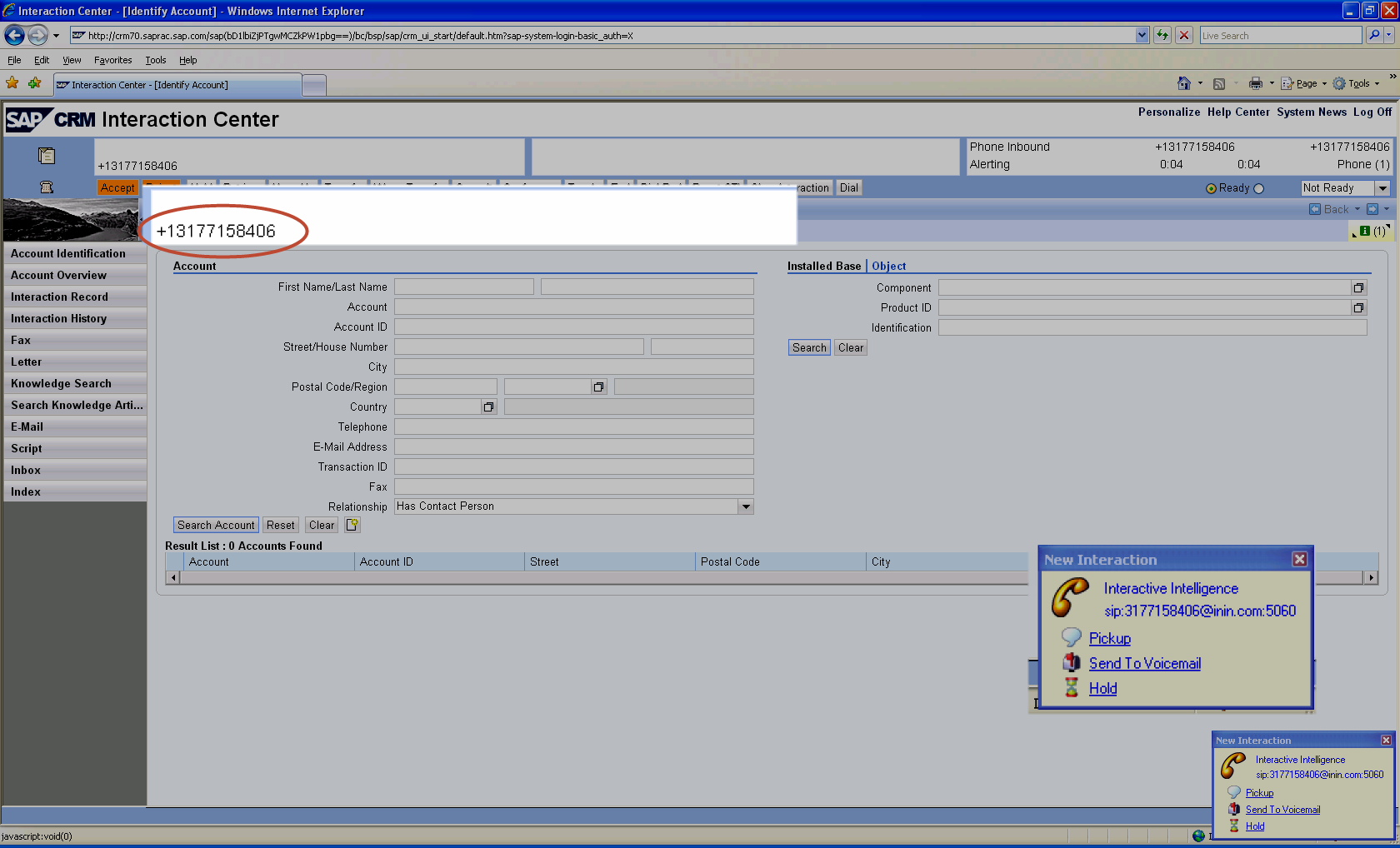
If the ANI matches more than one business partner, the ANI displays on the left side of the CTI control bar. More information about the call displays when the agent accepts the call.
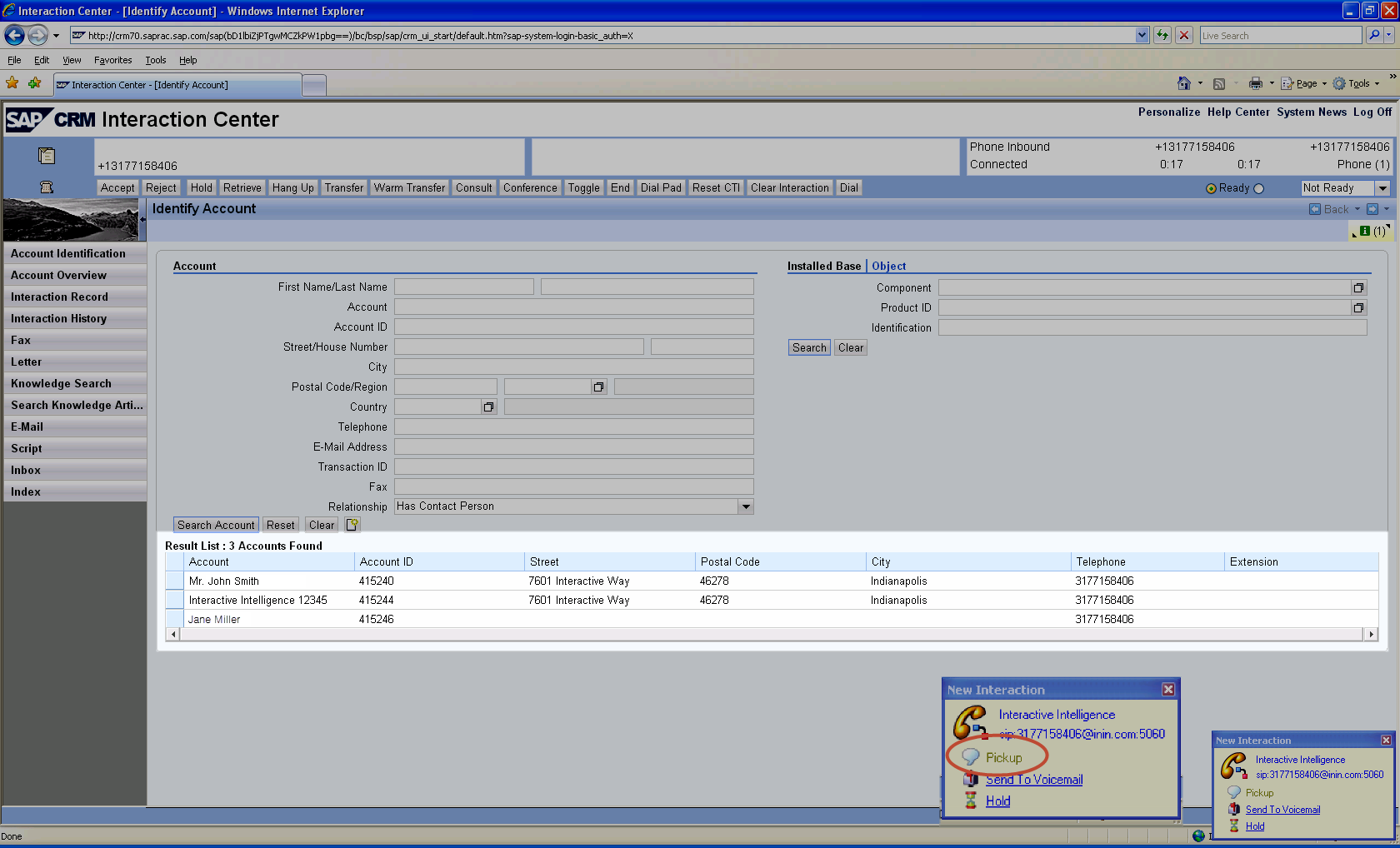
Once the agent accepts the interaction, SAP displays a list of accounts that match the ANI. The agent selects the appropriate account.
Matching ANI to a single contact within an organization
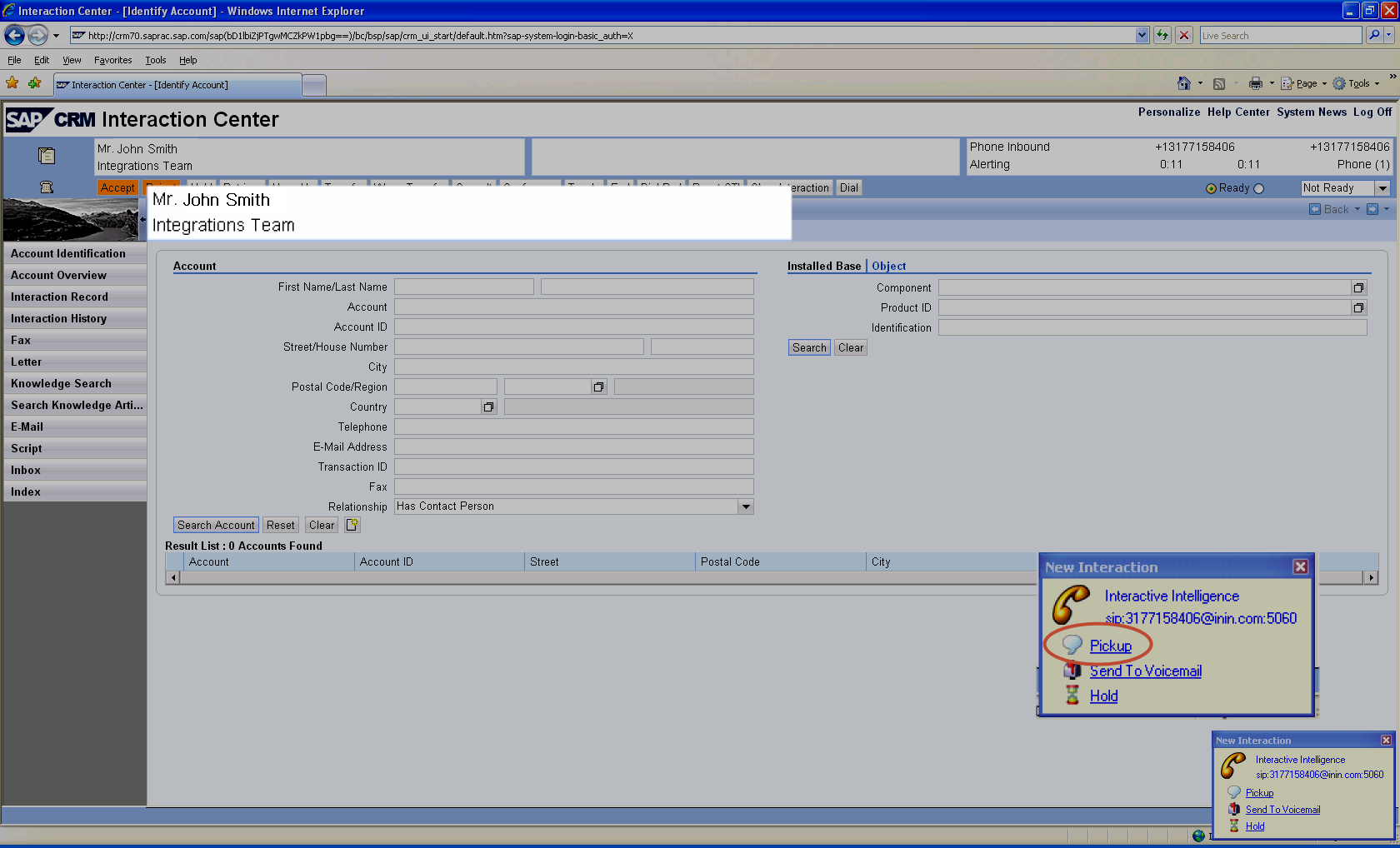
If the ANI matches a single assigned contact within an organization account, the matching contact and organization account display on the left side of the CTI control bar as the call is alerting. Once the agent accepts the interaction, SAP pops the contact information.
Matching ANI to an organization account
If the ANI matches the phone number of a single organization account, the name of the organization displays on the left side of the CTI control bar as the call is alerting.
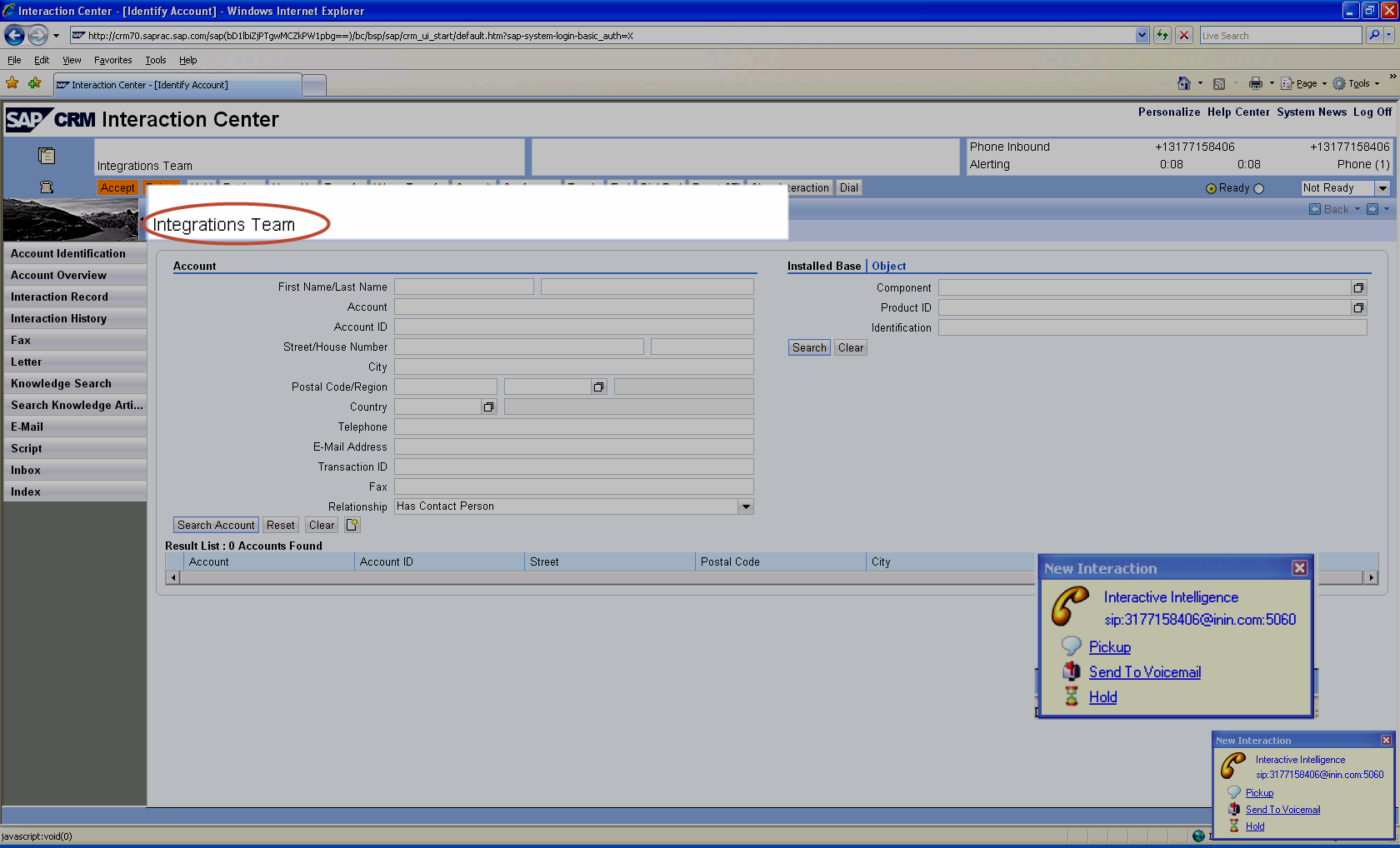
Once the agent accepts the interaction, SAP pops the organization account information along with a list of contacts in that organization.