


- Contents
Short Message Service Technical Reference
Configure HTTP Broker Settings
You can modify the default HTTP broker settings or right-click and create a new set of Broker settings.
-
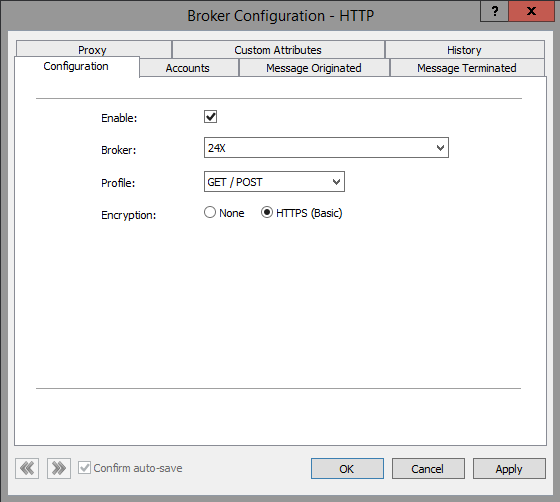
In Interaction Administrator, navigate to System Configuration > SMS > Brokers. Right-click and modify existing settings or create a new Broker configuration.
-
In the Configuration tab, do one of the following:
-
Select Enable to enable the broker configuration for Message Originated (MO) and Message Terminated (MT) processing.
-
Clear the Enable check box to disable MO and MT processing.
-
-
Select the desired Broker from the list.
Note:
If the broker is not one of the preconfigured brokers, you or an SMS administrator must create and install an XML file to define the broker. Contact the Genesys Professional Services Organization for assistance in creating this file.
-
From the Profile list, select the specific configuration profile to use for SMS messages. Many brokers offer only one profile.
-
Encryption: Choose basic encryption or no encryption.
Note:
Select HTTPS (Basic) if you are using SSL. If you select this, you must use HTTPS for both inbound and outbound messages. For more information, see Using SSL.