


- Contents
Supervisor iPAD
Install the certificate on the iPad or another device
To install the certificate, the administrator must securely deliver the certificate to the user of the iPad or other client device. The user opens the certificate on the device, installing it locally. The CIC app can then use the certificate to connect securely to ICWS on the CIC server.
Complete the following steps to install the certificate on an iPad:
-
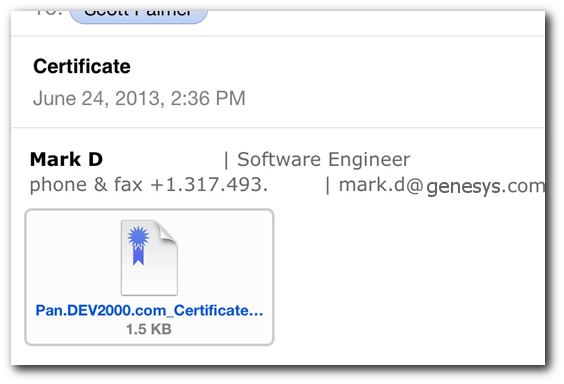
From the iPad, open the email message.
-
Tap the icon for the attached certificate.
-
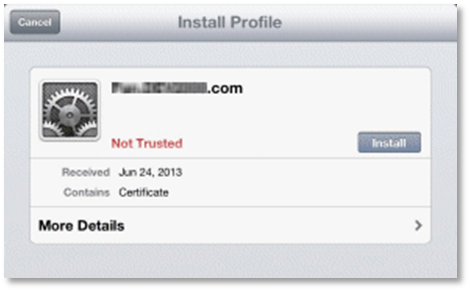
From the Install Profile dialog, tap Install.
-
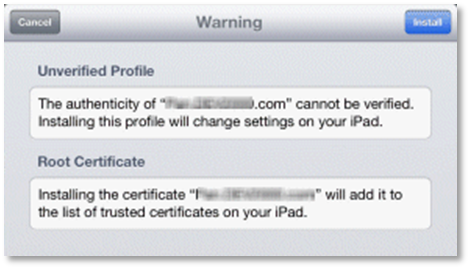
If a Warning dialog appears, tap Install.
-
If prompted, enter the numeric code used to unlock your iPad.
-
When the Profile Installed dialog appears, tap Done.
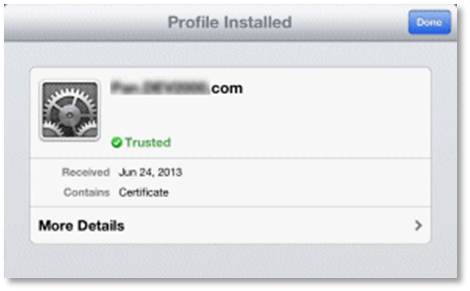
Users can now establish a secure connection to the server.