


- Contents
Transition to Desktop Administrator's Guide
Using the legacy migration parameter to migrate from 3.0
Here is a description of the migration process for a CIC client user who employs the MigrateLegacyClientData parameter to migrate from 3.0 Interaction Client .NET Edition to Interaction Desktop.
-
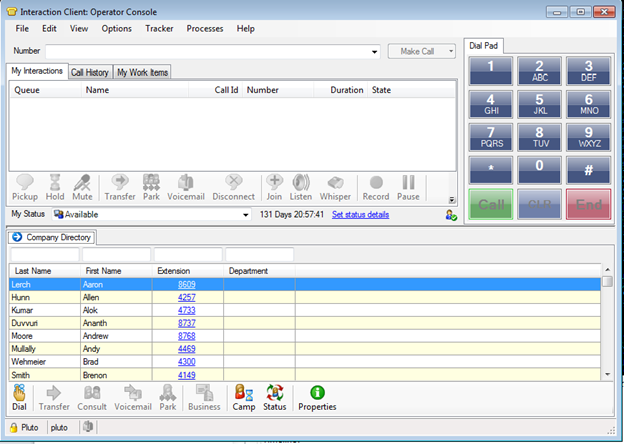
A CIC client user has configured Interaction Client .NET Edition 3.0 to display a preferred arrangement of selected client views.
-
This CIC client user has the same user name in both the 3.0 and 2016 CIC systems. The 2016 IC server has the same server name as the 3.0 IC server.
Important! If these names do not match, the CIC user cannot use the MigrateLegacyClientData parameter to migrate client settings. See
Using the legacy migration utility to migrate from 3.0
. -
The CIC user runs InteractionDesktop.exe MigrateLegacyClientData either from a Windows shortcut or a command prompt.
The IC administrator can create an Interaction Desktop shortcut with this parameter and use Windows Group Policy or some other method to distribute it to all client users. Or the CIC client users could modify the Interaction Desktop shortcut themselves.
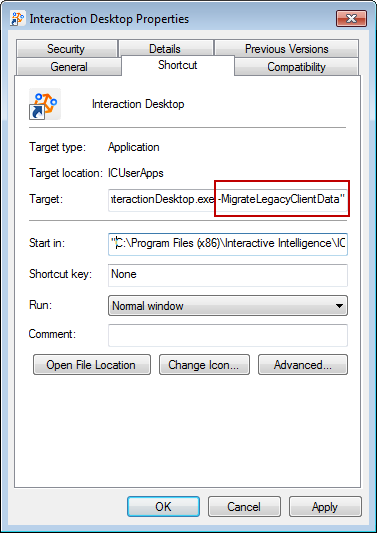
CIC client users could also use the parameter to start Interaction Desktop from a command prompt in the C:\Program Files (x86)\Interactive Intelligence\ICUserApps\ directory.
-
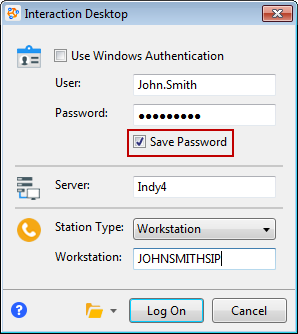
The CIC user logs on to Interaction Desktop and selects the Save Password check box.
Important! If the CIC user does not select this check box, the migration process does not start.
-
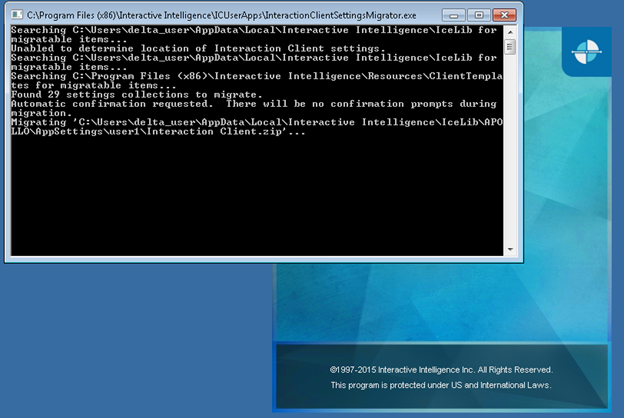
The migration process starts and reports on its progress.

-
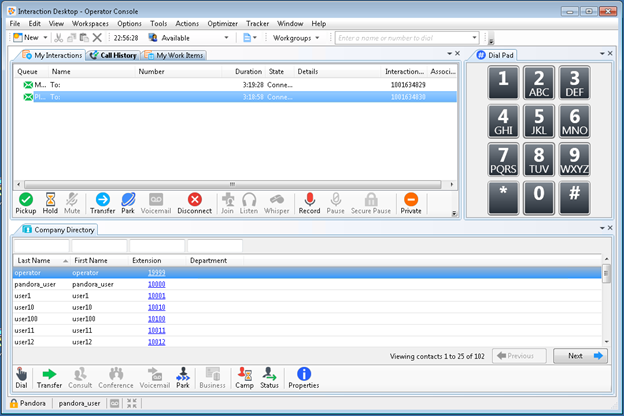
Interaction Desktop starts and displays the same arrangement of selected views as appeared in Interaction Client .NET Edition. These views appear in the Interaction Desktop default workspace.
Note: There is a slight delay before Interaction Desktop appears for the first time after the migration.
-
If CIC users employ the Interaction Desktop shortcut to migrate, after the migration process completes, they should edit the shortcut and remove the MigrateLegacyClientData parameter.
Note: This step is optional, but recommended. Once the migration process completes successfully, the CIC user cannot use the parameter again by accident to rerun the migration. The CancelRun registry key prevents the migration process from running again.