


- Contents
PureConnect Installation and Configuration Guide
Exchange configuration
The same Exchange Configuration dialog box is used to configure Exchange, whether you selected the Mail Provider in IC Setup Assistant or Interaction Administrator.
-
In the Exchange Configuration dialog box, de-select Enable MAPI. Exchange MAPI is no longer supported.
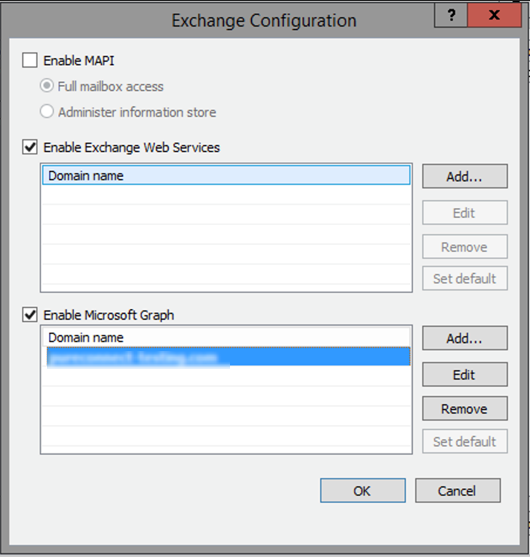
- If Exchange Web Services isn't already enabled, select Enable Exchange Web Services or Enable Microsoft Graph.
-
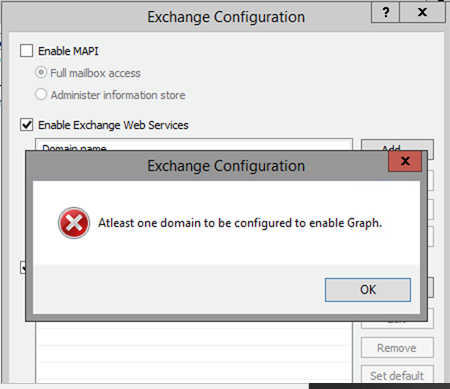
Click Add… to specify a domain to use to access mailboxes. The Domain Properties dialog box appears.
Note: If you don't specify the domain to use to access mailboxes, the system connects to the default Exchange server but for the Exchange (Graph) explicitly mention the domain name. That is, Exchange Web Services will try to use the CIC service account's mailbox for auto discovery and impersonation over other mailboxes for message retrieval and queuing. If you want to use another Exchange server in addition to the default Exchange server to access mailboxes, you must specify the domain to use for the default Exchange server and the domain to use for the additional Exchange server.
- In the Domain Properties,
- For EWS Exchange dialog
box, provide the requested information.

Service account email address: Type the email address used to access mailboxes.
Use IC Administrator account credentials: Select this option if you want to use the CIC Administrator account credentials to access mailboxes.
Use the following credentials: Select this option if you want to use another account's credentials to access mailboxes.
User name: Type an administrative user account name (CIC administrator account) that has impersonation rights on the Exchange server. For network credentials, type the domain and user name (domain\username). For Web credentials, type the account name @ domain (username@domain).
Confirm password: Re-type the password for the account.
Use OAuth: To use OAuth to authenticate with Exchange, enter the certificate, certificate password, and the application ID that were generated during the application registration in the Microsoft Azure portal to request an access token that is passed during requests to Exchange.
Use Autodiscover to get the Exchange Web Services URL: Select to use the Exchange Autodiscover feature to identify the Exchange Web Services URL.
Use this Service URL: Select to manually specify the Exchange Web Services URL and type the Service URL in the corresponding box.
Enable SCP Lookup: If Exchange information is not stored in Active Directory, using SCP lookup during the autodiscover process to find service endpoints can result in unnecessary delays. To disable the SCP lookup, clear the Enable SCP Lookup check box.
Seconds before timeout: Type the number of seconds that CIC should attempt to contact the Exchange Server.
-
For Microsoft Graph Exchange dialog box, provide requested information
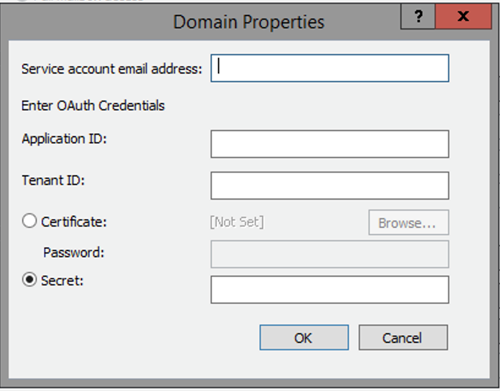
****END USER must provide Certificate or Secret for Tenant
****Need to validate the Tenant and the Secret
- Click OK to close the Domain Properties dialog box.
- Click OK to close the Exchange Configuration dialog
box.
- Click OK to close the Mail Provider Summary dialog box (IC Setup Assistant) or the Mail Configuration dialog box (Interaction Administrator).