


- Contents
Interaction Process Automation Monitor Help
Modifying the Columns in the Process View
You can modify the columns that appear in the Process View by rearranging columns, adding columns, and removing columns.
-
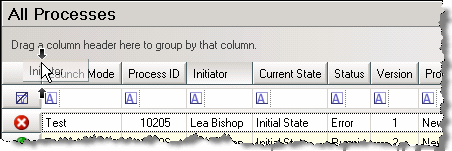
To rearrange the columns in the Process View, drag and drop the column headings one at a time into a different order in the heading row.
-
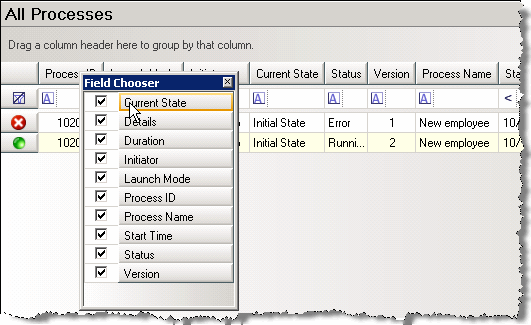
To add or remove columns from the Process View, you must use the Field Chooser control. To display the Field Chooser control, right-click in the heading row, and then click Field Chooser. The Field Chooser control appears.
-
To add a column to the Process View, select the check box next to the column heading in the Field Chooser, and then drag the heading to the appropriate location in the heading row.
-
To remove a column, clear the check box next to that column heading in the Field Chooser, and then close the Field Chooser.